-
Downloads
-
Windows
-
Song
-
StaffPad Reader
StaffPad Reader
The perfect digital music stand app for StaffPad Scores.
StaffPad Reader connects automatically to StaffPad via Wi-Fi, and updates in realtime, as changes are made to the score.
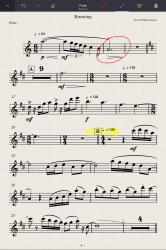
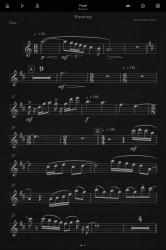
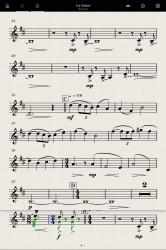
Playback sync ensures everyone stays perfectly in time, with smart page turns, metronome, count-ins and more. Dark mode saves your eyes when performing in a low-light environment, and various rehearsal modes let you practice along to the virtual orchestra playback, or review your part. ScoreSync also handles free hand ink annotations - you can draw on the score with either your finger, or a Windows Ink compatible pen. Write in red or yellow ink for private (just for you) markings, or blue ink for a public marking (shared with other Readers and with StaffPad) .
StaffPad Reader makes the perfect companion app for performance, rehearsal and recording StaffPad scores.
StaffPad for composers; StaffPad Reader for performers:
====================================
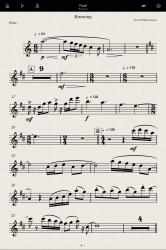
If StaffPad is for composers; the Reader is for performers and musicians. This app displays parts of StaffPad scores, specifically formatted for your device, and designed for musicians to be play from.
ScoreSync is our revolutionary feature for sharing the contents of a StaffPad Score amongst multiple devices running StaffPad Reader. You can add as many Readers as you like to a ScoreSync session. The Reader opens and automatically starts searching for StaffPad on the Wi-Fi network.
Once ScoreSync is toggled within StaffPad, the score is distributed instantly to all the connected Readers. Any changes made within StaffPad - from minor fixes to entire rewrites - are sync'd and pushed to every Reader, which update nearly instantly.
Press play in StaffPad, and all the Readers start playing too - ScoreSync also synchronizes time, as well as content, and adjusts for device latencies across the network so that the metronomes will always click in time, and so that the helpful score position indicator, and the page turns, are always in perfect sync across all devices.
StaffPad and StaffPad Reader work together to create the perfect digital music stand system for rehearsal, recording and performance.
Upgrade to Pro:
==========
With the optional in-app purchase, you can also toggle a "Dark Mode", which is designed to reduce halation around the pupil when performing from music in a dark environment, such as a theatre or concert hall.
Reader Pro also gives you playback sounds, and you can choose to rehearse to the virtual playback by muting your part, audition your part by solo'ing it, or play everything together to hear the full picture.
For more information, visit us at www.staffpad.net
How to play StaffPad Reader:. It is a simple StaffPad Reader app for Minecraft.... StaffPad Reader application for Windows Phone devices.Featu.
Become a modern farmer in StaffPad Reader! Enjoy playing StaffPad Reader...
With optional in-app purchase, you are also able to toggle a "Dark Mode", which is set to reduce halation around the pupil when playing a song in a dark environment, such as a theater or concert hall.
=====================================
Press play on the StaffPad, and all the players will also start playing: ScoreSync also syncs the beat, as well as the content, and adjusts to the latencies of devices on the network so that metronomes always click on time, and to that helpful punctuation position indicator, and page changes always exist in perfect sync across all devices.