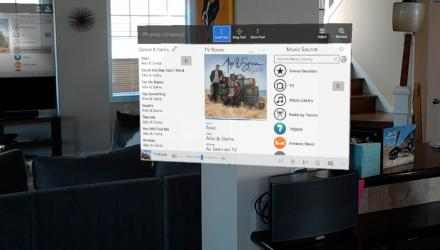
FREE trial: The most popular modern Sonos controller available for Windows, this runs on PCs, Xbox, Tablets, and HoloLens!
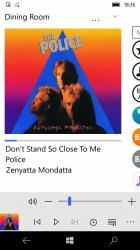
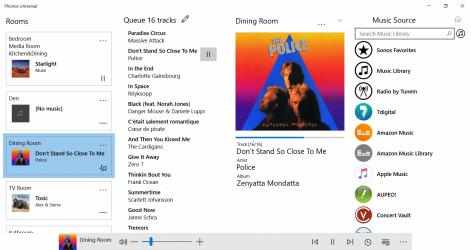
Phonos lets easily you control all your Sonos speakers, choose the music to play, and change groups, all from a beautiful, smooth, modern user interface.
Try the app for free for up to 30 days to ensure it works to your satisfaction, before purchasing. (Phonos never shows any ads).
Features:
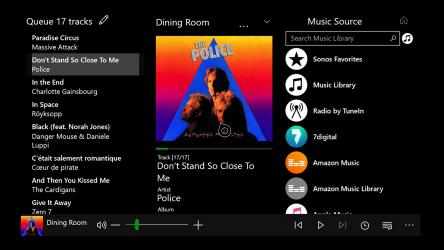
Playback control (Play/Pause/Next/Previous), via mouse, touch and controller
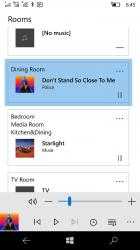
Group volume/mute as well as individual player volume/mute
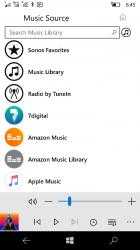
Select music from all the usual sources, including your Library and almost every music service (including Spotify, Pandora, Napster and Apple Music)
Full Sonos Favorites support
Group editing: easily add and remove players from groups
Supports Sonos S1, S2 and split systems
Search your collection, music services and radio stations
Set the Sleep time and create and edit Alarms
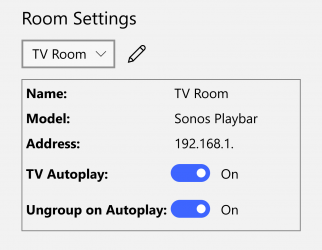
Playbar-specific options for night mode and speech enhancement
View and edit the Queue
Light/dark theme
Device Equalizer settings
Save the Queue as a Playlist
Surface Dial support (requires Bluetooth-compatible PC)
Phonos does NOT include support for the setup of your Sonos system: you need to use an official app for that.
Phonos is NOT associated with or endorsed by Sonos.
Application to listen and follow Phonos UniversalRad. Don't hesitate to download
Phonos Universal for
Windows if what you're looking for on Downloads.com is the best for
Song Controlav has managed to position
Phonos Universal as a benchmark for
Song getting more than
953 downloads in a short time. More than
953 downloads ensure that
Controlav has placed
Phonos Universal in the top of
Song apps.
Of all the versions of this program, we believe that
Windows is the most reliable and developed. Phonos Universal Bold.