Android-x86: Best Music Apps... Android-x86 Mobile App... Android-x86 Application ...
With Android-x86 you can:. -Play Android-x86 in background...
Android-x86 is the resource that we have been waiting for to be able to integrate the Android operating system to a PC , instead of opting for the classic operating systems such as Windows, Linux or MAC.
It can be installed on any type of equipment, regardless of whether it is a PC, a laptop, it is even compatible with some netbook models. And best of all, it can be installed on disks where other operating systems already exist, being able to coexist with them without any problem.
Compatible with virtual machines
If you want to test the operating system before installing it on your hard drive, you can install it in a virtual machine. It is compatible with the main programs capable of managing them, such as
VirtualBOX or WMWare .
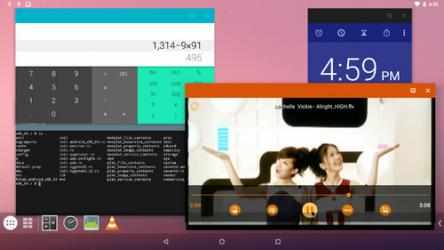
Android-x86 is perfectly designed to be used on a PC, although the system will believe that it is a Tablet. Thanks to this, we can be sure that we will not have any problems with handling: it is possible to use keyboard + mouse through the USB ports. It will even detect the network card so that we can connect to the Internet.
Completely different from an emulator
With
Android-x86 you'll be able to take advantage of all the features offered by an
Android operating system , with completely different features than a Bluestacks-type emulator, without so many limitations.
If you think it's time to use Android on your computer, don't hesitate and try everything that Android-x86 can offer you.