-
Downloads
-
Windows
-
Photos and videos
-
1Click Photo Viewer
1Click Photo Viewer
View, edit and format convert! 60+ file formats, 10+ years of development with 200+ updates, and 3 million+ users! We are still actively developing for better experience!
All viewing features are free.
To save edited file or do file conversion you all need a license:
(1) Monthly: Free for the first month, then 0.99 USD/month. It can be canceled anytime.
(2) Anually: Free for the first month, then 3.99 USD/year. It can be canceled anytime.
(3) Lifetime license: 7.99 USD for lifetime
--------------Image formats supported--------------
1) Common formats:bmp, gif, jpg/jpeg/jfif, pdf, png
2) Animation:gif, webp, apng, dcm/dicom
3) Special:bpg, dcm/dicom, heic, livp, tif/tiff, webp
4) Designer:ai, ico, indd psd, svg
5) Texture:dds, exr, tga, astc
6) Camera RAW:3fr, arw, cr2, crw, dcr, dng, erf, iiq, kdc, mdc, mef, mos, mrw, nef, nrw, orf, pef, raf, raw, rw2, rwl, sr2, srw, x3f
--------------Animation--------------
1) Pause, play and rewind by frame, play-speed control, show frame number
2) Frame magnifying, frame saving, rotation
--------------User interaction--------------
1) Immediate magnification without any lag. The magnification can be of any scale.
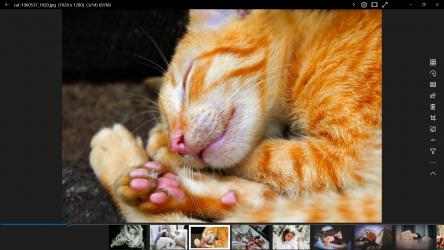
2) Click on either sides of image for previous or next. Scroll on the image for magnifying and on sides for previous or next.
3) Use Esc to quit the app. Use F/f for fullscreen switch. Use delete key for quick delete without confirmation. Use delete button for delete with confirmation.
4) Move to the left edge of the app for quick review of EXIF.
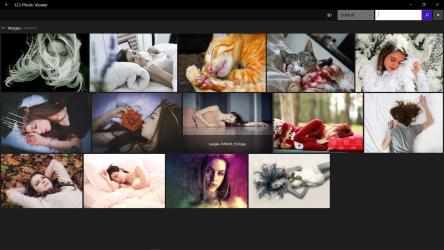
5) Thumbnails at below can be adjusted to be any size as you wish. Use thumbnail progress bar for quick navigation.
6) Filename, resolution, current progress and image size are shown at title bar.
7) More than 10 themes.
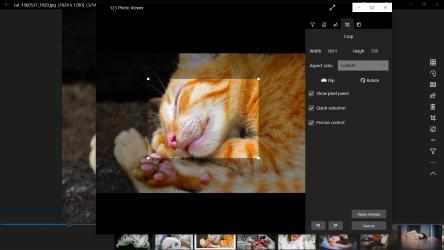
--------------Cropping--------------
1) Not only rectangle is supported, other irregular quadrilaterals are also supported.
2) Rotate the image to certain angle and crop.
3) Move mouse to view pixel color info and cropping resolution.
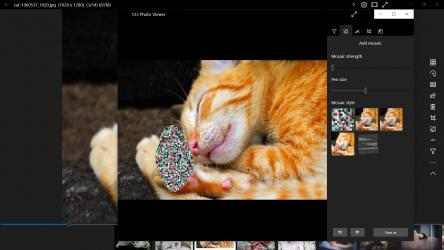
--------------Mosaic--------------
1) Five kinds of mosaic supported
2) Size and strength of mosaic can be adjusted.
--------------Other editing features--------------
1) 11 kinds of filters that can be adjusted in real time.
2) More than 40 kinds of collages with multiple images supported.
3) Pencil feature
4) Supports adding texts.
--------------Batch processing--------------
1) Format conversion
2) Name changing
3) Resolution change
4) Watermark
--------------Video support--------------
1) Formats: .3gp, .avi, .flv, .mkv, .mov, .mp4, .mpg, .ogg, .webm, .wmv, .rmvb, .swf, .vob
2) Speed adjustment for video playing
3) Show thumbnail at progress bar
Previously, the app was named "123 Photos". We have since rebranded it as 1SecPic.
123 Photo Viewer official app. Official APP of the 123 Photo Viewer online station.... Download 123 Photo Viewer here now and try it on your device quickly and safely.
123 Photo Viewer is a game unlike any other. 123 Photo Viewer....
3) Navigation of screenshots easier. you are able to go to the next or previous one by clicking on the sides of the screen without having to search for buttons. it is also able to use the keyboard or the touch screen. The thumbnails below are able to help you quickly go to neighboring files.
The screenshots photos used in the store are from pixabay.com.
5) easier keyboard support. use "Esc" to exit directly. Press 'F' or 'f' for full screen. use the "Delete" key for a quick deletion on the spot without a confirmation message. use the button to dismiss with a confirmation message.