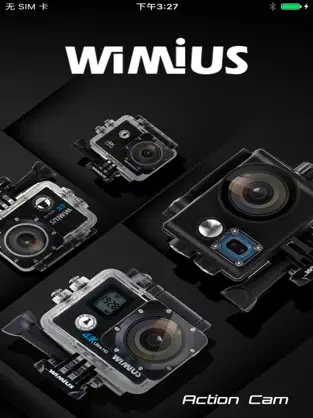
For controlling your WIMIUS Cam.
You can connect your WIMIUS cam by using IOS Smart Phone or Tablet, after established the connection, you can live view the camera video stream, trigger start movie record, take a picture, view the thumbnail, and download the video or picture,For WIMIUS Q series products, namely Q1, Q3, Q4, Q6 and other product models.
Connection Step:
1.Open camera WiFi
2.Connect to the camera WiFi,the password is on the manual
3.Open the WIMIUS App
4.Click on the connect camera button.
Features:
1.Preview stream, Live streaming from camera.
2.Trigger action, In the preview stream, you can trigger camera to take a video or picture.
3.Support burst shot
4.Support delay capture.
5.Support video quality change.
6.Support image size change.
7.Format the camera SD card.
8.Listing photo & video files and download or delete files.
9.Single photo playback.
10.Automatic time correction with IOS Smart Phone or iPad when established the connection.
11.Preview streaming is more smoothing.
12.Support video playback with audio before download.
13.Support upside down.
14.Support slow motion.
Some features are depending on camera device; Please make sure your camera have these features.
Connect with WIMIUS CAM Pro efficiently and transparently... WIMIUS CAM Pro allows you to:. WIMIUS CAM Pro Free Ringtone App... El review de Mohamed Galvez It does not connect to WIMIUS Q4, cannot even get it to open to use it ... kind of needed it but I guess that won’t happen
Do not hesitate to download
WIMIUS CAM Pro for
Iphone if what you are looking for in Downloads.com is the best of
Games More than
944 downloads
Dawnwin mdt info has placed
WIMIUS CAM Pro at the top of
Games . Download the WIMIUS CAM Pro APP.