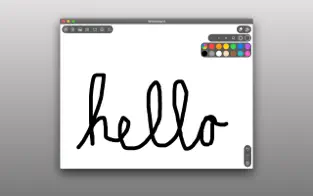
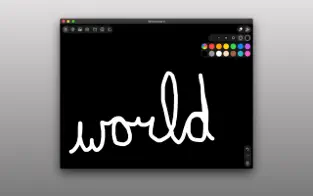
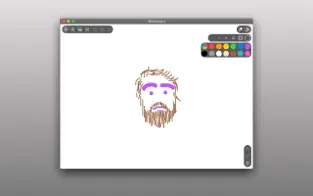
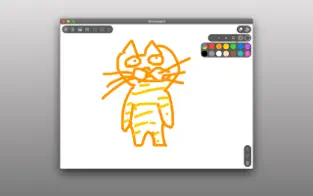
A clean whiteboard and several basic colors, just draw together. Simple, easy, focused and fun.
I made this app as a prototype for a larger app I was working on, to my delight my kids LOVED it. They use this whenever they want to draw instead of the other drawing apps we already had.
I think they love it so much because there's no extra stuff to get in the way, they can just be totally immersed in drawing.
So I decided to release it to the App Store and let others try it out too. I appreciate your support.
Features:
* Draw anything you want with the colors of the rainbow.
* Draw together with friends and family using the Messages app. Just send a drawing to a friend and they can open it and draw on it too and then send it back.
* 6 convenient preconfigured marker sizes
* Undo, Redo, and Clear drawing actions
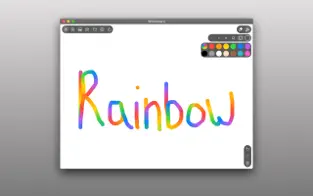
* Special "Rainbow" marker lets you draw with a rainbow!!! you gotta try it!
* Change the background color by long pressing on one of the colors
* Remembers your last used marker color and size and your canvas color.
* Import photos to trace, annotate, and have fun with
* Shake to erase
* Save your drawings to your Photos library
* Print your drawings to AirPrint enabled printers
* Share your drawings with Messages, Mail, and many more
* Creator Kit allows you to provide financial support for development of Whiteboard.
Whiteboard Labs Features (early stage features you can opt-in to try)
* Draw with Knobs - draw pictures using knobs the old school way!
* Screen Recording - record the screen and audio as you draw, save or send the recording to friends and family.
* Draw with Motion - tilt your device to draw a picture
My goal is to make the funnest and easiest to use drawing app for kids. I improve Whiteboard with your reviews, feedback, and financial support. If you or someone you know, enjoys using Whiteboard:
• Please subscribe to CreatorKit to help support development
• Please rate the app 5 stars so more people find it
• Please share Whiteboard with a friend or family member to help get the word out.
• Please email me jim@getwhiteboard.com and let me know how you're using Whiteboard, send me drawings, questions, concerns and feedback.
• Please subscribe to my Youtube channel https://www.youtube.com/channel/UCSr7ecHz6AnGvbGJNJSODbw
• Please send me your Whiteboard drawings on Instagram @getwhiteboard.
- Jim
Privacy Policy: https://getwhiteboard.com/privacy
EULA (Terms of Use): https://www.apple.com/legal/internet-services/itunes/dev/stdeula/
Fondos de pantalla 4K, HD, HQ Whiteboard: just draw together.... this app for Whiteboard: just draw together... Download Whiteboard: just draw together now!
Whiteboard: just draw together nuevo 2021... The official Whiteboard: just draw together app...
A clean board and several basic colors, just draw together. Simple, easy, focused and fun. I made this app as a prototype for a larger app I was working on, much to my delight, my kids LOVED it. They use this when they want to draw instead of the other drawing apps we already had. I think they love it because there's no extra stuff to get in their way, they can just be totally immersed in drawing so I decided to release to the App Store and let others try it too. Thank you for your support. Features: * Draw whatever you want with the colors of the rainbow. * Draw together with friends and family using the Messages app. Just send a drawing to a friend and he can open it and draw on it too and then send it back. * 6 preconfigured convenient marker sizes * Undo, Redo and Erase drawing actions * Special "Rainbow" marker allows you to draw with a rainbow!!! You have to try it! * Change the background color by long pressing one of the colors * Remembers the last marker color and size you used and the color of your canvas. * Import photos to trace, annotate, and have fun with * Shake to erase * Save your drawings to your Photos library * Print your drawings on AirPrint-enabled printers * Share your drawings with Messages, Mail, and more * Tip Jar lets you provide support funding for further development of Whiteboard. Whiteboard Labs Features (early stage features you may choose to try) * Draw with knobs - draw pictures using the knobs the old school way! * Screen recording - r...