About this app
Everything you love about WhatsApp plus built-in tools for business
WhatsApp Business is a free-to-download app with built-in tools to help you work smarter, build trust, and grow your business.
You get free calls* and free international messaging* plus business features to help you do more with conversations.
Download the app to get business benefits like these:
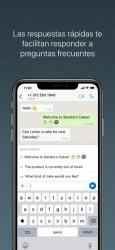
• Work smarter. Save time by letting the app do the work for you! Send customers automated quick replies and away messages so you never miss an opportunity. Use labels to quickly organize, filter, and find important conversations. Create a status to share an offer or news, and even take orders and payments** in-app to create a great customer experience.
• Build relationships and trust. With a professional business profile on a secure platform, you build credibility and trust with customers. Use the app to provide more responsive customer support and build long-term loyalty. Subscribe to Meta Verified*** to reinforce your authenticity.
• Sell more and grow. Get discovered, advertise, and make more valuable customer connections. Boost sales by sending targeted offers to customers; create ads that click to WhatsApp; showcase your product catalog; and give customers the convenience of in-app orders and payments.**
FAQs
Are all features free?
The app is free to download and use, with a mix of free and paid features.
Can I still use my personal WhatsApp?
Yes! As long as you have two different phone numbers, your business and personal accounts can live together on a single device.
Can I transfer over my chat history?
Yes. When you set up the WhatsApp Business app, you can restore a backup from your WhatsApp account to transfer your messages, media, and contacts to your business account.
How many devices can I connect?
You can have a total of five web-based devices or mobile phones on your account (up to 10 if you subscribe to Meta Verified***).
*Data charges may apply. Contact your provider for details.
**Not available in all markets
***Available soon globally
Terms of Service: https://www.whatsapp.com/legal/terms-of-service
Learn more about messaging privately: https://www.whatsapp.com/privacy
Learn more about WhatsApp safety: https://www.whatsapp.com/security
In the
Economy and business category, WhatsApp Business performs very well, with more than
1 932 downloads, it is one of the most viewed applications on our website Downloads.com. All the fighters are waiting for you in [WhatsApp Business]! WhatsApp Business is a fan-based app... Como opina Antoni Menendez *I'm not interested in a status tab*!, 2 accounts with two different numbers; and please fix this problem
Do not hesitate to download
WhatsApp Business for
Iphone if what you are looking for in Downloads.com is the best of
Economy and business More than
1 932 downloads
Whatsapp has placed
WhatsApp Business at the top of
Economy and business . WhatsApp Business song 2021 ...
An obvious tool for companies to communicate with their customers. — WhatsApp Facebook Business WhatsApp Business empowers you to talk to a business presence on WhatsApp, communicate more efficiently with your users and help you support your business growth. If you have various uneven phone numbers for your store and your personal stamina, you must have WhatsApp Business and WhatsApp Messenger installed on the same mobile device and register the accounts under different numbers.In addition to all the free functions in WhatsApp Messenger, WhatsApp Business contains the following:• COMPANY PROFILE: Build designs executes a profile for your local to help your users find relevant information, such as your website, location or contact information.• BUSINESS MESSAGING tools: perfect the interaction with your users by using absence notices to indicate when you are absent.• help FOR FIXED/CONVENTIONAL mobile phones: you must use WhatsApp Business with a fixed mobile device number (or traditional), and your users will be able to send you messages to that number. During the verification process, choose the “Call me” option to receive a schedule via phone call.• use WHATSAPP MESSENGER AND WHATSAPP BUSINESS: you must use both applications, WhatsApp Business and WhatsApp Messenger, on the same phone, but each app must have your own telephone number.• WHATSAPP WEB: Respond...