-
Downloads
-
Iphone
-
Economy and business
-
WatchDog Mobile
WatchDog Mobile
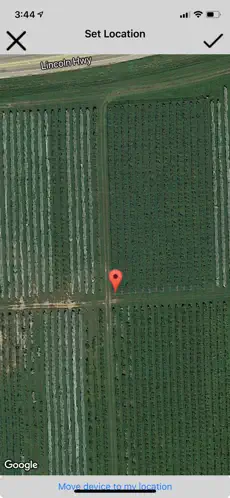
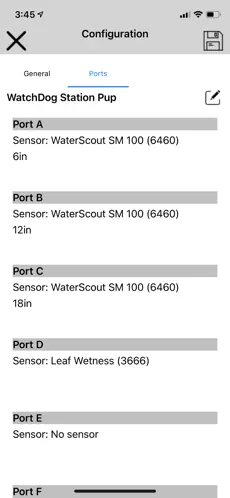
Owners of WatchDog Stations and Retriever & Pups networks connected to the SpecConnect system can use the WatchDog Mobile app to manage their devices from installation and configuration to current condition monitoring.
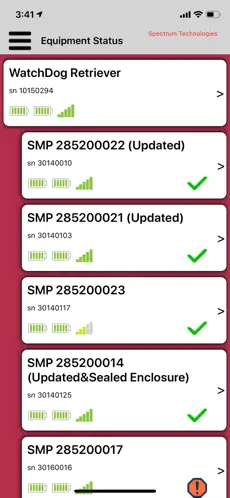
Equipment Status is the primary screen, showing battery levels, communication strength, and an icon showing how long it has been since the device communicated. Tapping or swiping left on a device provides options to tap. Additional options are available from the menu icon.
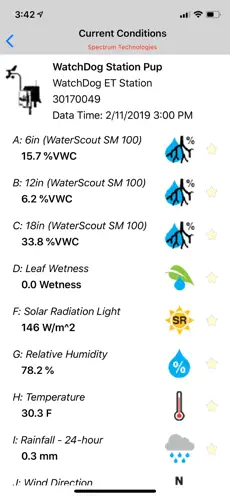
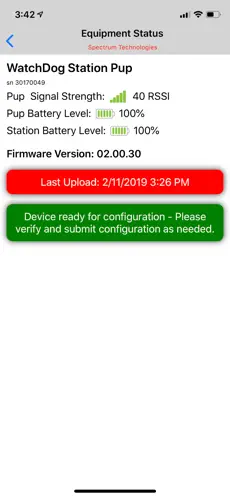
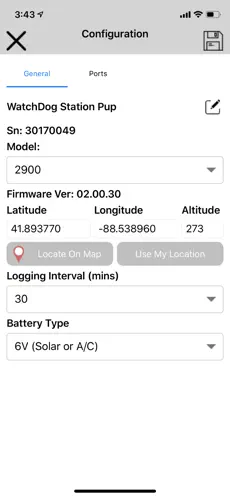
The magnifying glass provides more detail for that specific device. The gear brings up the Settings/Configuration screen for the device. The sun/thermometer shows current conditions for the device. Also, next to each sensor is a star outline. Tapping it makes it a favorite sensor, which will be displayed on the Favorites screen.
The menu includes:
Alerts, showing all or just the active alerts.
Favorites, to see just the selected sensor values
Reports, including Multi-Station/Multi-Sensor and DLI
Settings, used to set app options such as sensor units.
For more information, go to www.specmeters.com/specconnect
WatchDog Mobiles 2020... Amazing collection of WatchDog Mobile, Home Screen and Background... ¡Bienvenido a WatchDog Mobile!...
WatchDog Mobile allows you to:. Welcome to WatchDog Mobile.