-
Downloads
-
Iphone
-
Games
-
VirtualDJ Remote
VirtualDJ Remote
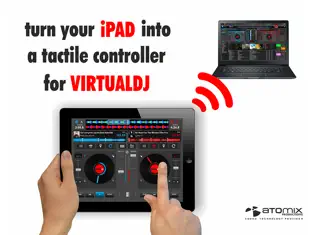
Mix with VirtualDJ directly from your iPhone or iPad !
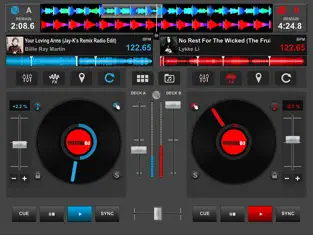
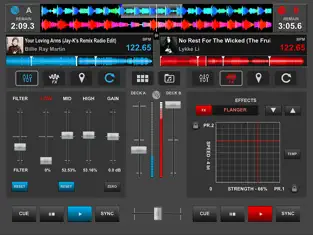
Whether you want to use your iPad as a virtual scratch turntable, or just want to step away from the booth for a moment but still continue to monitor the mix from your iPhone, or even want to mix the whole gig wirelessly from your iPad while the computer plugged to your sound system delivers the beats, the VirtualDJ Remote application gives you full freedom to operate VirtualDJ over a WIFI connection.
IMPORTANT NOTICE: this application needs to connect to the software VirtualDJ running on a Mac or PC computer. The VirtualDJ software is available for FREE on www.virtualdj.com
SIMPLE WIRELESS SETUP:
VirtualDJ Remote and VirtualDJ Software connect over a simple Wifi connection.
If you are already using a wifi network, the connection will be done automatically, using Bonjour.
Otherwise, you can easily create an ad-hoc wifi network, and enter the device IP address in the VirtualDJ software for immediate connection.
EASY AUDIO CONFIGURATION:
The audio is being played by the computer, so you just need to plug your audio system to your computer, no need to carry audio wires to your iPhone/iPad.
SUPPORT THE FULL POWER OF VIRTUALDJ:
VirtualDJ is the most used DJ software, with more than 100,000,000 users, and has been used reliably by professional DJs all over the world for the past 10 years.
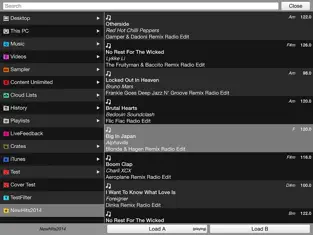
It features almost everything a DJ can need, from beat mixing, effects, song suggestions, samplers, video mixing, etc.
MAXIMUM VERSATILITY:
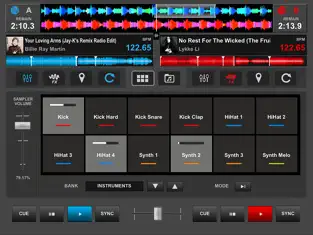
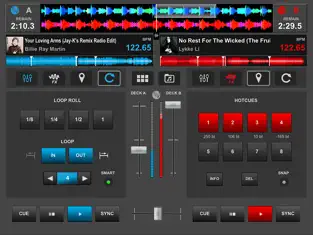
The interface and functionalities of the VirtualDJ Remote can be completely tailored to your exact needs, by using new Skins.
The Skin format is compatible with the popular VirtualDJ’s skin SDK, and thousands of users are working on creating skins to fit every needs. You can download their creations, or easily create one by yourself.
Anything is possible, from a full-featured sampler pad, an effect table, a turntable emulator, a complete controller, or whatever else your imagination and need will come up with.
YOU CAN DO MORE:
- Mix music videos and plug your computer to a projector to get the video out
- Broadcast your mix live on Internet radios
- Record your sessions on your computer
- Get personalized advices on what to play next with MusicGroups
- Mix with 3, 4, 6, or how many decks you want simultaneously (up to 99)
Advantages and disadvantages of VirtualDJ Remote
. Enjoy your VirtualDJ Remote anywhere.... Most third-party programs currently offered are somewhat slow and tedious, which is not the case with
VirtualDJ Remote .
Not only does it offer a system of constant communication between them and
Atomix productions ameri but they are listened to and cared for correctly. Of all the versions of this program, we believe that
Iphone is the most reliable and developed.