-
Downloads
-
Windows
-
Photos and videos
-
Video Converter Any Format
Video Converter Any Format
** 1 MILLION+ DOWNLOADS **
DON'T MISS YOUR ONE STOP APP.
Video Converter and Video compressor helps to convert video in various formats with simple steps. Also you can compress videos.
Tutorial: https://www.cidadeapps.com/video-converter-any-format-tutorial/
Video Converter Any Format is your complete solution for converting, compressing, and customizing videos on Windows. With support for nearly every major video and audio format, this app makes it easy to transform your media into the format you need—quickly and efficiently. Whether you want to compress large videos for easier sharing, cut clips to size, or adjust resolution for specific devices, this app gives you all the tools in one simple interface.
With over 1 million downloads, it’s a trusted and powerful video tool designed for everyday use.
Supported Formats:
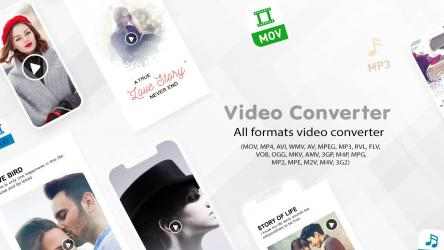
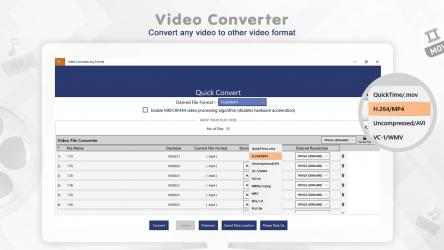
. Video: MOV, MP4, AVI, WMV, FLV, MKV, AMV, 3GP, VOB, M4V, MPG, M2V, M4P, RVL, 3G2, and more.
. Audio: MP3, OGG, MP2, MPEG, and more.
Key Features:
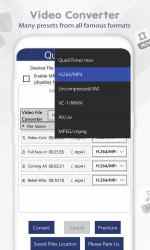
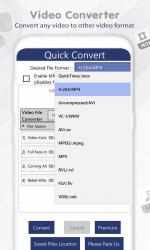
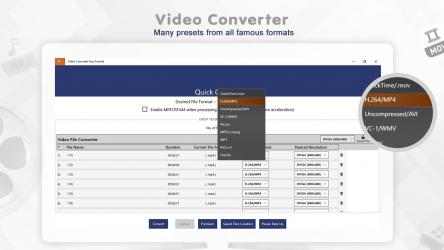
. Quick Conversion: Convert your videos into popular formats like MP4, AVI, WMV, MKV, and more in just a few clicks.
. Batch Conversion: Select multiple files or drag and drop to convert multiple videos at once.
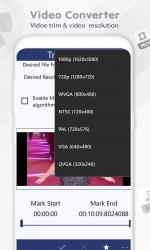
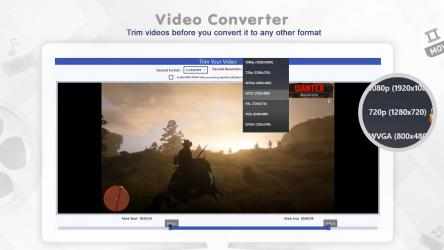
. Trim & Cut: Extract specific parts of your videos by trimming clips before conversion.
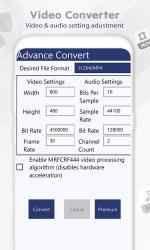
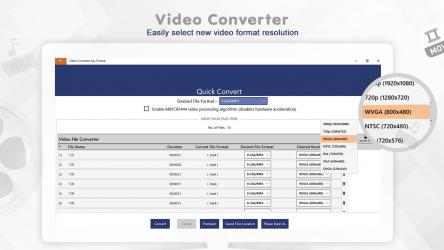
. Advanced Conversion: Fine-tune settings such as resolution, bitrate, codec, and frame rate for custom results.
. Compression: Reduce large video file sizes while maintaining high-quality output.
. Resolution Adjustment: Change video resolution for formats like MP4, MKV, AVI, FLV, 3GP, MOV, VOB, and others.
. Lightweight Design: Clean, modern interface with easy-to-use controls.
. Mobile Friendly: Optimized output settings for mobile devices.
App Options:
. Quick Convert – Convert videos instantly into your desired format.
. Trim & Convert – Cut specific portions of your video and convert only what you need.
. Advanced Convert – Customize settings for resolution, quality, and size before conversion.
Why Choose Video Converter Any Format?
. Wide support for both video and audio file types.
. High-quality compression with minimal quality loss.
. Fast conversion speed with batch file support.
. User-friendly design with powerful tools built-in.
Support:
Tutorial: https://www.cidadeapps.com/video-converter-any-format-tutorial/
Web: https://www.cidadeapps.com
Facebook: https://www.facebook.com/CidadeApps
Instagram: https://www.instagram.com/cidadeapps/
Twitter: @Cidadeapps
Email: cidadeapps@hotmail.com
Please email us if any of the video format is not supported, and we will include it in the next update.
Download and enjoy.
Welcome to Video Converter Any Format! Welcome to Video Converter Any Format. Enjoy playing Video Converter Any Format... Como dice Moises Roman Excellent output quality, exactly what I Needed and was looking for … ... I have yet to see the quality of the video
Free Download and Install Video Converter Any Formats... The official application of Video Converter Any Format...
- It is also capable of compressing huge videos to small ones.
Facebook: https://www.facebook.com/CidadeApps
Please email us if any of the video selves are invalid and we'll include them in the next update.
- It is capable of developing compressed videos from original videos with correct quality.
- Select some files and even drag and drop files as well
- is able to change some files at once.
- User-friendly and light client interface.
features:
If you have purchased an IAP (In App Purchase) free upgrade or any other product and find that this feature is still blocked, click the RESTORE PURCHASE button on the home page and then click "close and upgrade" ". You will not face a single problem after that.