Create Custom Stickers Easily with Sticker Maker
Turn your favorite photos, memes, GIFs, and videos into unique, personalized stickers for WhatsApp, iMessage, and more.
Sticker Maker makes it easy to create fun, custom stickers that reflect your personality. Whether you want to add humor to your chats, celebrate special occasions, or simply express yourself creatively, Sticker Maker has everything you need!
Key Features:
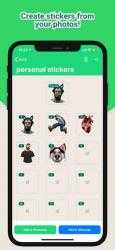
* Convert Images into Stickers: Transform any photo, GIF, or video into a static or animated sticker with just a few taps.
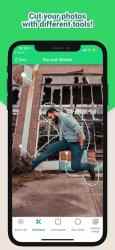
* Edit with Ease: Use our powerful editor to remove backgrounds, add text, apply effects, and customize your stickers however you want.
* Selfie Stickers: Snap a photo directly from your camera to create instant stickers of yourself or your friends.
* Animated Stickers: Add motion to your stickers with GIFs or short video clips for even more fun and engagement.
* Sharing and Collaboration: Share your creations with friends or download sticker packs from the community. Make stickers for your pets, family, or friends and celebrate any occasion.
* Discover New Sticker Packs: Explore thousands of sticker packs shared by other users or contribute your own.
How to Get Started:
1. Choose a name for your sticker pack.
2. Add, edit, and customize your stickers.
3. Add your pack to WhatsApp, iMessage, or other messengers.
4. Share with friends and enjoy your custom stickers!
Join Thousands of Happy Users!
Sticker Maker is loved by users worldwide. Create your own sticker packs today and make your chats more fun and personal. Perfect for WhatsApp, iMessage, and more!
Unique properties of Sticker Maker Studio:.
Sticker Maker Studio is at the top of downloads in its
Utilities category for
Iphone devices. Sticker Maker Studio - Radio Online... Como nos dijo lambesebo Not good. Very annoying with ad you can’t get away from and have to open the app store for them to go away. Only to give you an error and having to close and reopen the app multiple times and go through more ads before it decides to paste the stickers properly on your 3rd party app. It’s obviously done deliberately so that you have to rewatch these ads multiple times. Don’t waste your time with this
Enjoy playing Sticker Maker Studio.... Amazing collection of Sticker Maker Studio, Home Screen and Background...
Cut stickers from your screenshots with Sticker Maker Studio, export the stickers in PNG / WEBP format for printing and use them in all communication channels. Create a recent set 2. Add photo images from your gallery or camera 3. Crop the most valuable part of the photo with your finger. he is able to try again as many times as he wants until he reaches the perfect way. Save and export png / webp files. The files you create / cut are able to be exported and used in any different application.