-
Downloads
-
Windows
-
Song
-
StaffPad
StaffPad
MADE FOR COMPOSERS.
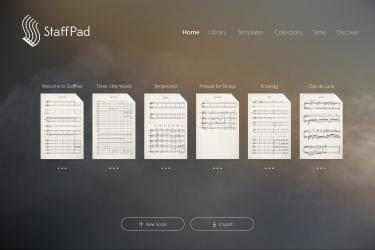
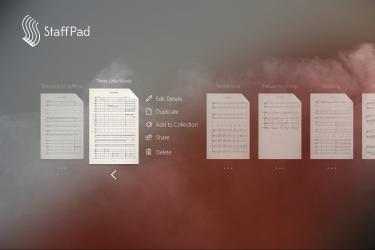
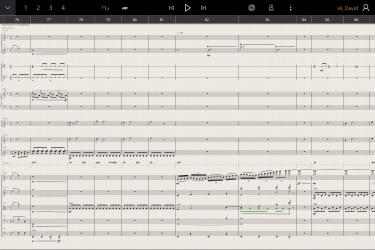
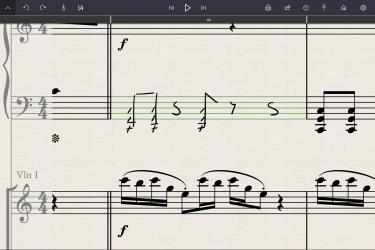
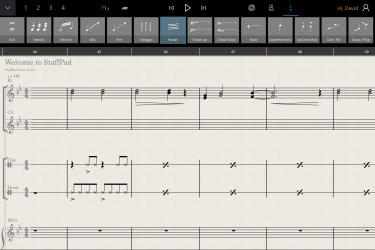
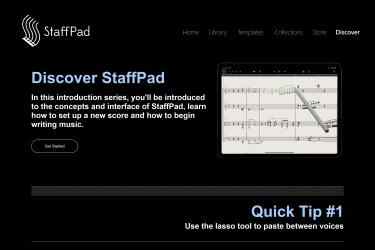
StaffPad is designed for composers who want to create music effortlessly, using handwriting recognition for music notation and seamless audio support on your score canvas. Write your music using Surface Pen, and the app will transform your writing into beautifully typeset notation that can be edited, played back, printed and shared. Record or import audio directly onto your score, edit intuitively with pen gestures, drag in royalty-free Elements and mix your score with StaffPad's suite of studio effects. From basic idea to a full film score, StaffPad is the easiest, most powerful and most intuitive way to create music on a Windows tablet.
*IMPORTANT NOTE: STAFFPAD **REQUIRES** A DEVICE WITH ACTIVE PEN CAPABILITIES. DESIGNED FOR SURFACE.
————————————
EDIT EASILY
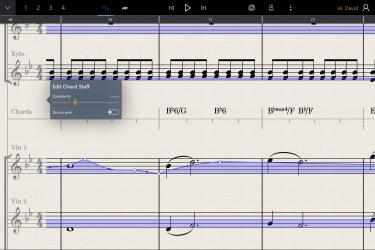
Write your score with the fluidity of natural handwriting. Use touch and pen to quickly edit your notation. Transpose, repeat and structure your score with intuitive gestures and tools. Add smart symbols easily from the symbols palette, turning the pen into an articulation paintbrush. Customise the tempo with a unique tempo staff (or import a tempo map from a MIDI file), add chords either manually or automatically with the chord staff. You can even copy music written in StaffPad into other apps, simply using the normal copy and paste functions. Every aspect of StaffPad has been thought about from a composer's point of view, making the tools simple to create your masterpiece.
————————————
HEAR YOUR MASTERPIECE.
With a groundbreaking playback engine and over 55 included instruments, StaffPad is ready to perform your written piece instantly. Add industry-standard sample libraries, adapted and customised for StaffPad, from some of the world's leading sample developers. This is a leap forward for composers working at the highest levels.
————————————
SHARE WITH SCORESYNC
Once you're ready to perform or record your work, tap the ScoreSync button in StaffPad and your score is instantly shared across a Wi-Fi network to any device running the free StaffPad Reader app (available in the App Store). The Readers present each individual musical part beautifully formatted, update in realtime with any changes you make to your score, handle automatic page turns, and play back in perfect time with a synchronised metronome, for capturing the perfect recording every time.
————————————
IMPORT AND EXPORT
StaffPad imports and exports MusicXML and MIDI files for easily working with other music apps. You can also export your playback as WAV, AAC or MP3. You can import audio files into your score, with support for most major audio formats.
————————————
WORK WITH AUDIO
For the first time, you can seamlessly mix audio with your notated score. Record directly onto the score canvas using your device's in-built microphones, whilst monitoring a metronome through headphones. Import existing audio in most major audio formats. Tempo map freeform/rubato performances using the tempo staff. Add shine to your production with a suite of studio quality DSP effects, and polish with precise automation. This opens a world of possibilities, and makes it possible to create release-quality productions entirely in StaffPad.
————————————
MARKUP
Annotate your score with either private or public (shared with the Readers) annotation pens. Public pens allow for instant written communication with individual musicians in the room via ScoreSync and StaffPad Reader.
————————————
PRINT / PDF
As well as digital parts via ScoreSync, StaffPad will automatically format and print parts or export PDFs for you. Customise the paper size, bar number styles, number of bars per line, scaling, margins, multi-bar consolidation and more. StaffPad automatically formats the score for consistent presentation.
————————————
COMPOSER ASSISTANT
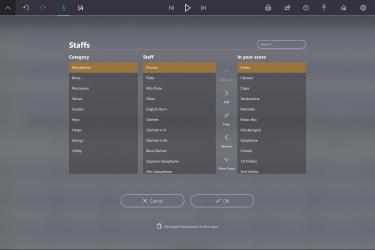
StaffPad features "Fenby", our voice-activated composer assistant, who can assist you in routine tasks like setting up your score, adding instruments, tempos, bar line styles, key changes and more.
COMPATIBILITY:
StaffPad REQUIRES a device with a digital pen (also known as an active digitizer) and multitouch capabilities in order to function as designed*. If your device does not support pen and touch, the app will not function correctly. Support will not be available to users attempting to run StaffPad on an incompatible device.
*StaffPad has been designed for Surface
Mobile application of the StaffPad... The advantage that
StaffPad presents us with over other competing programs is, without a doubt, its speed. Connect with StaffPad efficiently and seamlessly...
StaffPad is a professional video playback tool. We show you
StaffPad , one of the best apps that
Staffpad ltd has developed for
Windows computers.
* StaffPad has been prepared for Surface
A voice-activated composer assistant empowers you to interact with your score using your voice. Do you want to swap converting the password key signature to larger G at bar 10? No problem: tap the wizard and say "Switch to G major." The wizard is able to support you at once to set up your score, add instruments, set tempo, key signature, time signature, add bar lines and more. *IMPORTANT: Currently the voice assistant is only usable in US English and United Kingdom.