-
Downloads
-
Iphone
-
Economy and business
-
Smartsheet: Projects & Teams
Smartsheet: Projects & Teams
Getting started is easy! Either sign in with your existing Smartsheet account or enter your email to sign up for a free 30-day trial. Join millions of other innovative users and upgrade to a paid account at any time.
Use Smartsheet, a dynamic workspace that empowers teams to manage projects, automate workflows, and rapidly build new solutions—using no-code tools they love, and backed by the security IT needs. Smartsheet is trusted by companies of all sizes, across 190 countries — including over 90% of Fortune 100 companies, and over 80% of Fortune 500 companies.
Manage projects and tasks, automate workflows, collaborate with your team, and maximize productivity, anytime, anywhere!
With Smartsheet you can:
COLLABORATE WITH YOUR TEAM
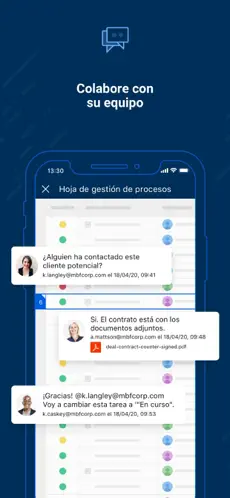
• Seamlessly create, share, and collaborate with your team on projects, wherever you are, from your Mac, iPad, or iPhone.
• Access your projects, tasks, workflows, and sheets anytime.
• Get business collaboration tools on your mobile device.
• Review and edit documents and sheets that your team is working on.
ORGANIZE PROJECTS & TASKS
• Use sheets to oversee tasks and workflows, plan projects, and maximize the productivity of your team.
• Add assignees, due dates, followers, checklists, predecessors, and files to your tasks and follow the progress of your projects.
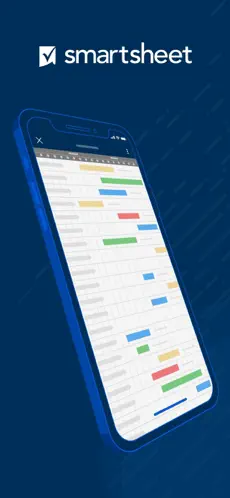
• Choose how to visualize tasks switching between grid, card, Gantt, and calendar views with the same data.
• Keep everyone on the same page. Attach files from Google Drive, OneDrive, Dropbox, and more.
AUTOMATE WORKFLOWS
• Implement simple and powerful automated workflows in minutes.
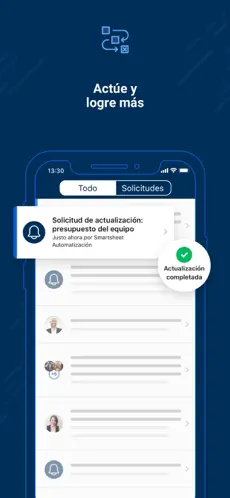
• Send automated update and approval requests to streamline work and reduce the need for meetings.
• Automate repetitive processes by sending alerts, setting reminders, automatically moving, copying, or locking rows, and assigning work based on sheet changes and preset times.
• Use card view to create kanban boards to manage your agile work.
WORK IN ONE PLACE
• See work alongside key conversations, decisions, and rationale in one place—improve project visibility across your organization.
• Share spreadsheets with others to view, edit, or add comments, and collaborate anywhere.
COLLECT INFORMATION WITH FORMS
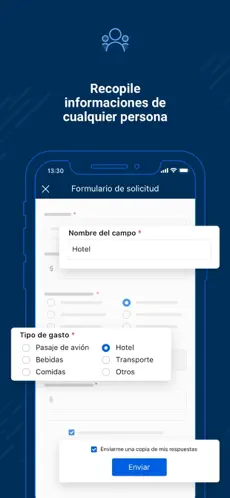
• Collect data from the field with forms, capture and upload images, or scan barcodes with your mobile device.
• Easily collect and act on error-free, consistent data from internal and external stakeholders.
• Quickly create forms that automatically map to the columns in your sheets.
• Ask the right people the right questions with conditional logic in forms.
• Provide easy access by embedding forms on dashboards and websites, or by sharing a unique link.
VIEW WORK STATUS IN REAL TIME
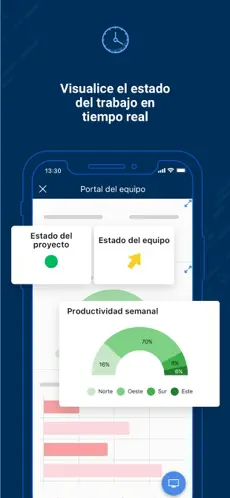
• Easily view and manage your dashboards, sheets, and more in real-time from your phone, so you always know the status of work.
• Get notifications to your Inbox or through push notifications about the projects, and tasks you’re following.
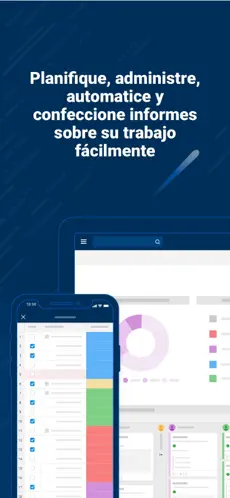
• Rapidly adapt to changing conditions and identify trends with easy-to-use widgets that display live data, charts, and key metrics.
• Easily customize Smartsheet to show and share what matters with an easy-to-use drag-and-drop UI in dashboards.
WORK SEAMLESSLY WITH YOUR FAVORITE APPS
• Smartsheet's out-of-the-box integrations enable real-time synchronization and visibility with many of your favorite apps from Google, Microsoft, Salesforce, and more, so you can easily track tasks, compile data in spreadsheets, and collaborate with your team, all in one place.
• Seamlessly connect your enterprise ecosystem of apps like Slack, Jira, DocuSign, Microsoft Teams, Gmail, Box, and more with Smartsheet.
BUILD PURPOSE BUILT APPS WITHOUT CODING
Smartsheet is the leading platform for dynamic work, built for the enterprise, empowering teams like IT, Marketing, and Operations with a no-code tool for project management, workflow automation, and solution creation.
Smartsheet - Playing American Radio Music... That is why more than 924 people have downloaded this software at Downloads.com No great knowledge is required to be able to use Smartsheet . How to play Smartsheet:. Nos opinó Marta Salazar Needs QOL updates Main issues are minor things, if I need to update or add things to my projects and not only that ) Work on maintaining app data in the background
Smartsheet song 2021 ... Smartsheet APP...