-
Downloads
-
Windows
-
Education
-
Satellite Tracking
Satellite Tracking
Satellite Tracking: The Ultimate Windows App for Satellite Monitoring, Amateur Radio, and Space Enthusiasts – Track ISS, Starlink, NOAA, and Thousands More with Stunning 3D Maps and Hardware Control!
Are you ready to transform your Windows PC into a professional ground station for the entire Earth-orbiting satellite fleet? Imagine pinpointing the exact moment the International Space Station (ISS) streaks overhead, watching Starlink trains glide across the night sky in breathtaking 3D, or automatically tuning your radio for a perfect Doppler-corrected contact with an amateur satellite – all in real time, with zero guesswork. Introducing Satellite Tracking by KarhuKoti (SpaceStation22), the most popular Windows satellite tracking application of all time with over 200,000 lifetime installs. This isn't just another basic tracker; it's the powerful, feature-packed tool built by the makers of the legendary WinSat, now reimagined as the first Universal Windows Platform (UWP) satellite tracking app for Windows 10 and 11.
Whether you're a dedicated amateur radio operator chasing DX on the birds, a weather satellite hobbyist decoding NOAA or METEOR passes, an astronomer hunting for the Chinese Tiangong space station, or simply a space enthusiast who wants to know exactly when to step outside and spot the next visible pass, Satellite Tracking delivers everything you need in one seamless, beautiful interface. No more juggling multiple apps, outdated websites, or clunky software. This app puts the cosmos literally at your fingertips – and it's available right now for free download from the Microsoft Store with a generous 21-day full-feature trial so you can experience the magic before committing.
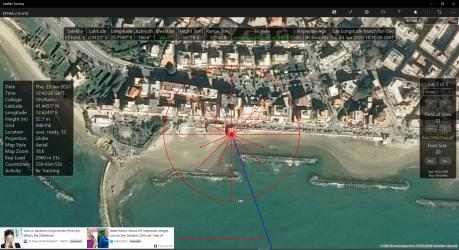
Why has Satellite Tracking become the go-to choice for over 200,000 users worldwide? Because it solves real problems that other trackers ignore. Most mobile apps give you basic pass predictions but lack depth, hardware integration, or high-resolution visuals. Web-based tools require constant internet and offer no offline capability. Legacy Windows programs feel dated and crash on modern hardware. Satellite Tracking stands alone as the professional-grade solution: real-time orbital predictions using the latest TLE and OMM data, automated daily updates, stunning Cesium 3D globe rendering with cloudless Sentinel-2 satellite imagery, classic Bing aerial/road maps, and even a fully offline basic equidistant projection. It future-proofs your setup too – with Bing map support potentially ending in June 2025, the app's Cesium integration ensures you'll always have the best-looking maps available.
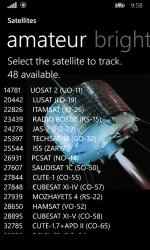
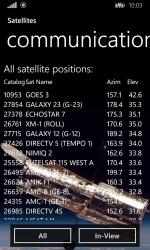
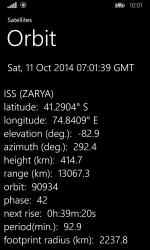
Let's dive deep into the features that make this app irresistible and drive thousands of downloads every month. At its core, Satellite Tracking provides real-time tracking of every Earth-orbiting spacecraft – over 5,000 satellites including the ISS (ZARYA 25544), Starlink constellations, NOAA weather birds, GOES geostationary satellites, amateur radio transponders like AO-7 and FO-29, and more. Select any satellite from categorized lists and watch it move live across the sky. The app auto-selects the primary satellite based on elevation, Acquisition of Signal (AOS), and Loss of Signal (LOS) times, so you're always focused on the best target.
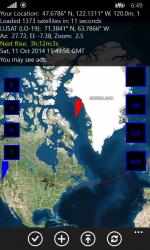
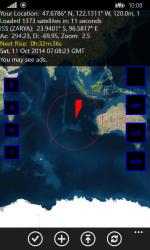
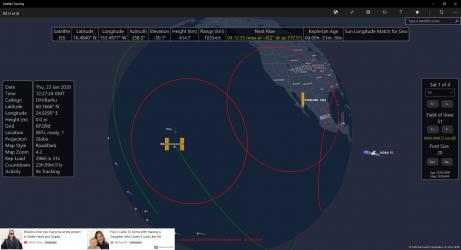
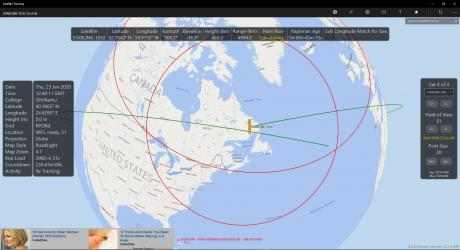
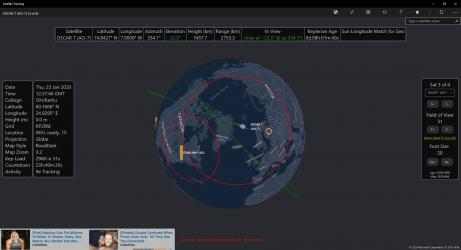
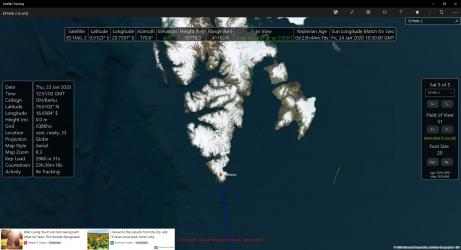
The visual experience is unmatched. Choose between a full 3D globe or 2D Mercator projection, complete with the moving gray line (sun terminator shadow), satellite visibility plots, future orbit lines, and custom overlays. Zoom, pan, and center on the satellite, your location, the equator, or anywhere you like. High-resolution Cesium maps bring the planet to life with GPU-optimized rendering. Add the optional inset Cesium view for picture-in-picture detail. Sun and moon positions are displayed for EME contacts or radio astronomy sessions. And for that "wow" factor, pull up the live ISS video feed directly inside the app.
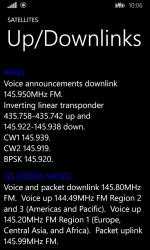
Amateur radio operators rave about the hardware integration that turns your PC into a fully automated satellite ground station. The app supports a massive list of radios including Airspy SDR#, FlexRadio, Icom, Kenwood, Yaesu and more via CI-V and CAT commands. It automatically applies Doppler correction to TX and RX frequencies with adjustable delay so your signal stays locked. Profiles let you save settings per satellite for one-click activation. Rotator control is equally impressive for Yaesu, SPID, iOptron (some models), rotctld, EasyComm, and other systems. No separate software needed – everything happens inside Satellite Tracking.
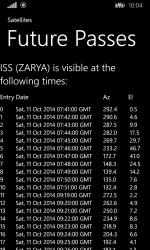
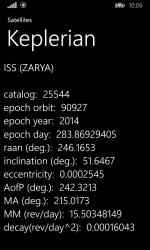
Data management is effortless. TLE and OMM orbital elements update automatically every day. Create unlimited location profiles with manual entry or use Windows location services. Visibility plots are incredibly useful: red horizon circles, azimuthal lines, green AOS and orange LOS markers, and color-coded pass lines. These plots visually show exactly where and when a satellite will appear – perfect for planning.
Customization puts you in complete control. Adjust fonts, notification sounds, units, and toggle panels on or off. The interface is clean, modern, and works beautifully on any Windows 10/11 device – PC, tablet, or even phone.
Who is this app built for? Amateur radio operators love it for SATCOM and AMSAT contacts. The Amateur Radio Operator add-on unlocks full radio and rotator control. Weather satellite enthusiasts get pre-configured profiles for NOAA and METEOR. Space enthusiasts track the ISS live and spot Starlink trains. Beginners can start with the free base version.
Setup takes minutes. Download from the Microsoft Store, grant location permissions, and you're tracking immediately. The 21-day Demo add-on trial gives you everything. Users consistently report it as the most accurate and visually impressive Windows satellite program available.
The app's popularity speaks for itself: over 200,000 installs. It's actively maintained with regular updates. Purchasing add-ons directly supports ongoing development and keeps this hobby thriving.
Add-ons are flexible and value-packed. Enthusiast add-on delivers full mapping. Amateur Radio Operator add-on unlocks everything including radio and rotator control – the best choice for hams. With Bing changes coming, Cesium is the future.
Still on the fence? Satellite Tracking combines the best of all worlds: professional accuracy, stunning visuals, and seamless integration – all in one app you'll use daily.
Ready to join the thousands of satisfied users? Head to the Microsoft Store right now and search for "Satellite Tracking" by KarhuKoti or click: https://apps.microsoft.com/detail/9wzdncrdndf7 . Install in seconds and start tracking the ISS within moments.
Pro tips for new users: Enable notifications for upcoming passes. Experiment with the visibility plot. Update TLE data daily for maximum accuracy. Tailor the UI to your workflow.
Common questions answered: Does it work offline? Yes, with basic map and pre-loaded TLE data. Compatible with older PCs? Core functions work great. Multiple locations? Unlimited profiles.
Satellite Tracking isn't just software – it's your gateway to the final frontier. Every pass prediction and breathtaking 3D view brings you closer to the excitement of space.
Don't wait – the next ISS pass could be tonight! Download Satellite Tracking now from the Microsoft Store and experience the most advanced satellite tracking on Windows. Over 200,000 users can't be wrong. Join the community and start tracking the skies like a pro today.
Start your satellite adventure today – download Satellite Tracking and never miss another orbital pass again!
956 are the downloads that our users have already made in Downloads.com. Satellite Tracking... Welcome to Satellite Tracking!
If you were just looking for an app like
Satellite Tracking , then you are in luck, you have already found the best alternative.
Satellite Tracking , one of the apps developed by
Karhukoti team for
Windows devices.