Manage Your Account
• Enroll in Mobile and Online Banking through your app.
• Manage cards: activate debit and credit cards, create or change your card PIN, report lost or stolen cards, and order replacements.
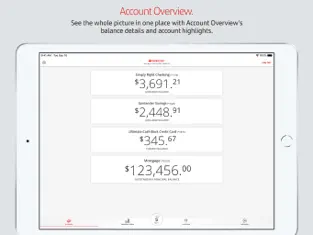
• View balances with one touch before logging in with Quick Balance or by using Siri®.
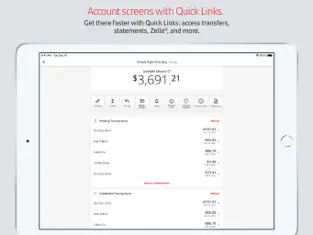
• View deposit, credit card, lending statements and loan/line of credit and investment* account balances.
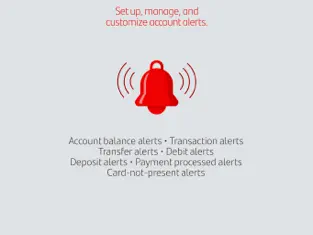
• Manage, select, and customize your alerts; pick alert settings and choose how to receive them (text, email, or push messages).
• Set up, change, or cancel Autopay credit card payments.
• Manage your contact details: edit, add, or delete contact information.
Stay Secure
• Put your misplaced debit or credit card on hold with Santander® Instant Card Hold. (Santander® Instant Card Hold will block most types of transactions, including purchases made with your card. Please note that some types of transactions will continue to process, including recurring debit/credit transactions presented to us by certain merchants for monthly membership or subscription fees.)
• Retrieve your User ID and change or reset your Password securely from your mobile device using password reset.
• Verify your identity on certain transactions using One-Time Passcode (OTP) security.
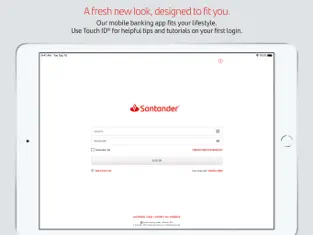
• Log in using Touch ID® or Face ID®. (If you share your device with other people, please note any fingerprints or face image stored on your device may be used to log in to the Santander Mobile Banking App and access your account.)
Navigate with Ease
• Tutorials and tips guide you through updates and improved Mobile Banking features when you first log in to your Mobile Banking App.
Deposit Checks
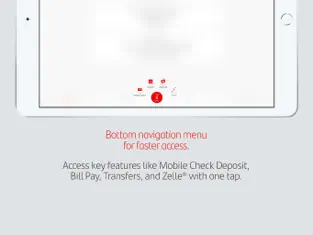
• Skip the ATM and deposit checks from your app.
Pay Bills
• Add and select Bill Pay payees to make payments.
• Schedule payments for future dates.
• Review your Bill Pay activity and pay your unpaid e-Bills.
Transfer Funds
• Make one-time and recurring transfers between your Santander accounts.
• Move money from your personal bank accounts at other financial institutions to your Santander checking, savings or money market accounts.
• Transfer money to other Santander customers.
• Make transfers to accounts at other banks within the U.S.
(Restrictions apply. Please refer to the Digital Banking Agreement for details).
Contact Us Anytime for Assistance
• Use One-touch calling to Santander Customer Service.
• Schedule a Meeting to meet with a banker.
• Find directions to the nearest Santander branch or ATM.
Get Started Today. It's Easy!
If you have a personal account with Santander Bank, download the Mobile Banking App today and bank when you want to!
*Securities and advisory services are offered through Santander Investment Services, a division of Santander Securities LLC. Santander Securities LLC is a registered broker-dealer, Member FINRA(finra.org) and SIPC(sipc.org) and a Registered Investment Adviser. Insurance is offered through Santander Securities LLC or its affiliates. Santander Investment Services is affiliated with Santander Bank N.A.
INVESTMENT AND INSURANCE PRODUCTS ARE:
• NOT FDIC INSURED
• NOT BANK GUARANTEED
• MAY LOSE VALUE
• NOT INSURED BY ANY FEDERAL GOVERNMENT AGENCY
• NOT A BANK DEPOSIT
------------------------------------------------------------------------------------------------------------------------
Santander Bank N.A., Equal Housing Lender - Member FDIC
©2026 Santander Bank, N.A. All rights reserved.
Unique properties of Santander Bank US:. Lots of fun images to choose from, user-friendly design, bright colors and many other features are waiting for you in Santander Bank US.
Santander Bank US is at the top of downloads in its
Finance category for
Iphone devices. El comentario de Lorenzo Dominguez Easy to use, i have to type in my username and this is a good bank less branch, comparing to the, chase Bank
Download Santander Bank US now! Santander Bank US app.