● Supported Video Modes:
・360° Panoramic Video (Stereo)
・180° VR Video (Stereo)
・360° 3D Panoramic Video (Top-Bottom and Side-by-Side Split Screen)
・2D to 3D Video Conversion (Flythrough)
・3D Video (Top-Bottom and Side-by-Side Split Screen)
・3D Video Scene Modes (Cinema, Living Room, Outdoor)
● Supported Video Formats:
・m4a, m4v, wmv, 3gp, mp4, mov, avi, mkv, mpeg, mpg, flv, rmvb, vob, etc.
● VR Video Control Methods:
・Head Motion Control
・Gamepad Control
・Single Button Control
・Gyroscope Control
・Gesture Control
・Field of View Control
・Quick Center Reset
● VR Device Adaptation:
・Interpupillary Distance (IPD) Adjustment
・Visual Center Adjustment
・Overall Zoom
・Aspect Ratio Adjustment
・Fisheye Curvature Adjustment
● Supports Online Video Playback:
Using the built-in rPlayer web browser, you can convert online videos to VR mode for viewing.
※ DRM-protected videos cannot be played. ※
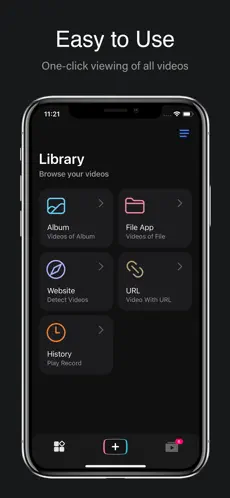
● Local Video Playback Sources:
・Videos from Photos Album
・Videos within Native Apps
・Network Videos
・Local Videos
● Supported Video Transfer Methods:
・Wi-Fi Transfer
・iTunes Transfer
・SMB Shared Service Download
・URL Playback
● Other Features:
・Hardware Decoding
・Password Unlock
・Ultra HD Video Playback
・Segment Loop Playback
・Standby Mode
・Variable Speed Playback
・Playlists
E-mail: rplayer@126.com
Unlimited Access Membership Subscription
・You can use all features in rPlayer without restrictions.
・Subscriptions are billed monthly, yearly, or as a one-time payment, with specific costs based on the selected plan.
Using rPlayer indicates your agreement to our Privacy Policy:
https://wangyuehuan-git.github.io/rPlayerPrivacyPolicy/index.html
This application uses Apple's standard Terms of Service. To view the full license agreement, please visit:
https://www.apple.com/legal/internet-services/itunes/dev/stdeula/
Application to listen and follow rPlayer: 3D & VR Video PlayerRad. rPlayer: 3D & VR Video Player Features:. functional qualities of rPlayer: 3D & VR Video Player:. Dice Tomas Jurado Will give 5 stars once audio is fixed, my only issue is certain vr videos has the brightness too high and not only that keep clicking into it until it starts normally
Connect with rPlayer: 3D & VR Video Player efficiently and seamlessly...
rPlayer: 3D & VR Video Player , one of the apps developed by
Yuehuan wang team for
Iphone devices.