Remote controls Mac or Windows PC over WiFi.
Watch movies like a pro on Netflix, Youtube, Hulu, Vimeo or iTunes on your computer. Turn your iPhone, iPad or iPod Touch into a remote control. No need to point remote at the screen, it works at any distance.
To use this Netflix Remote you will need:
1. Mac or PC computer connected to WiFi
2. Netflix playing in a browser on the computer
Installation instructions:
1. Download FREE Netflix Controller from our support page
2. Install the Netflix Controller on your Mac OS X or Windows PC
3. Connect your iPhone to the same WiFi as the computer
4. Open Netflix in a web browser on your computer
Features:
• Apple Watch remote
• iPhone trackpad to control computer mouse cursor
• iPhone keyboard to enter text on the computer
• controls any application on computer with trackpad and keyboard
• controls multiple computers with one iPhone
• fullscreen on and off buttons
• volume up, down and mute
• tap and hold forward or rewind to make fast skip
• enables Apple IR remote to control Netflix on supported iMac or Macbook
• international keyboard support including emoji (JAPANESE language only, due to the bug on iOS9)
• natural trackpad gestures:
・ double tap on trackpad to make a double click
・ long tap trackpad to make right mouse click
・ move two fingers on trackpad to drag mouse cursor
• Netflix, YouTube, Vimeo video playback
• supports most browsers like Safari, Firefox and Chrome.
ATTENTION: Remote won't work with smart TV, Xbox, Wii or Android.
Please visit our support page for detailed instructions and tips.
QUICK TIPS:
- Tap on trackpad to select active window on the computer
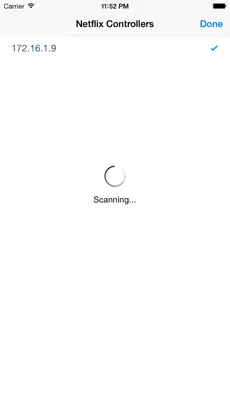
- Tap gear button to reconnect when WiFi changes
How much do you know about Remote to Netflix? Remote to Netflix.... Remote to Netflix is a game unlike any other. Como dice Sonia Salazar Works great, works for me! ... i followed the instruction and the links and it works fine
unique functionalities of Remote to Netflix:. It is an app highly valued by the community, an essential part of its success since
Maks and pasha can make many of the improvements and updates through them.