ESCAPE THE LIMITS OF PHYSICAL PAPER
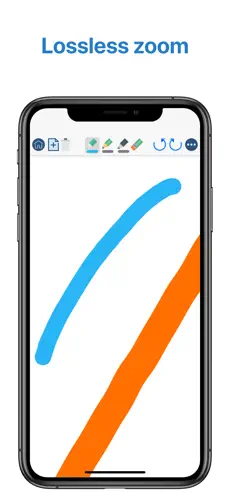
• Experience a fluid, precise and natural note taking experience powered by the unparalleled performance of QuickNotes X custom vector ink engine;
• Choose your drawing style with numerous included tools, such as fountain and ballpoint pen;
• Freely customize your stroke color as well as line thickness and pressure sensitivity;
• Record and play back lectures with Voice Recording: your writing will be synced to the audio!
• Draw perfect shapes and straight lines thanks to automatic, ML-powered shape recognition;
• Move, resize, rotate and zoom your handwriting to take notes like a pro;
• Never run out of paper: swipe to the next page and a new page will be created if needed!
• Take perfect notes with your Apple Pencil, Logitech Crayon or other capacitive styluses.
ORGANIZE & PROTECT YOUR THOUGHTS
• Never lose your notes again thanks to the powerful organization provided by QuickNotes X;
• Create Notebooks to organize your notes;
• Add unlimited Folders & Subfolders to group your Notebooks;
• Lock individual Notebooks and Folders with a Password to protect your thoughts from prying eyes;
• Unlock protected notebooks using Face ID, Touch ID or by entering your Password;
• Rearrange your Notebooks and Folders however you like to make sure they are always in the correct order.
SEAMLESSLY SYNC TO ALL YOUR DEVICES
• Seamlessly back up & sync your notebooks and folders to all your devices thanks to iCloud;
• Write once, edit anywhere: when iCloud Sync is active all your content is automatically available on all your devices;
• Use the native Mac app to view your notes on the bigger screen and edit them right on your computer.
MARK UP & WRITE ON PDFs, SLIDES AND MORE
• Import and edit PDFs, PowerPoint presentations more;
• Annotate documents on your device with all the tools available, including fountain & ballpoint pen, highlighter and shape recognition;
• Open notes and documents side-by-side on your iPad for maximum flexibility;
• Quickly export your notes as images, PDF or QuickNotes X Documents for easy sharing
ENDLESS CUSTOMIZATION FOR YOUR CREATIVITY
• Create an unlimited number of presets for stroke color and line thickness to always have the right one ready at your fingertips;
• Choose between Dual or Single Bar Mode to take notes with the maximum level of flexibility and customizability;
• Choose to erase entire strokes on only some parts thanks to the new Precision and Whole Stroke Erasers;
• Use the Lasso tool to cut, copy, paste or delete groups of strokes or entire pages;
• Customize the look of your Notebooks and Folders by choosing from more than 80 options;
• Make each notebook cover yours: the Notebook cover is now fully editable so you can draw on it!
• Choose the right paper template for your Notebooks, such as Blank Paper, Cornell Paper, Chemistry Paper, Engineering Grid Paper, Music Paper and more!
TYPE AND WRITE ANYWHERE
• Add Text Boxes anywhere in a page to start typing, with plenty of customization options for color, font style and size, available right at your fingertips in the new Tool Bar;
• Move, rotate and scale text boxes to never run out of space;
• Combine handwritten notes with typed content and annotate or highlight key words in your Text Boxes;
AND THERE IS EVEN MORE!
• Swipe left or right to quickly move to the previous or next page in the notebook;
• Quickly jump to any page in the Notebook by using the Notes List menu in the Note Editor;
• Customize any new page you create thanks to the new "New Page" menu in the Editor;
• Create a QuickNotebook to always have a fresh new page when you open the app;
• Changing the paper template for a single page or the entire Notebook is only one tap away;
QuickNotes X: Note-Taking, Made Easy.
Website: https://www.quicknotesx.com
Twitter: @QuickNotesX
Instagram: @quicknotesx
-----------
Privacy Policy: https://www.quicknotesx.com/privacy
Terms of Use: https://www.apple.com/legal/internet-services/itunes/dev/stdeula
QuickNotes X is a fan-based app... At the same time, it adds that it does not consume many resources, so it can be installed in almost any
Iphone . Amazing collection of QuickNotes X, Home Screen and Backgro... La opinion de Maria Dolores Cabrera Çok güzel bu uygulama ama paralı, however, I like to write with a brush having pencil texture but alsso there is lag on macbook pro when zoomed in
QuickNotes X, includes all Popular Songs... QuickNotes X 2021...