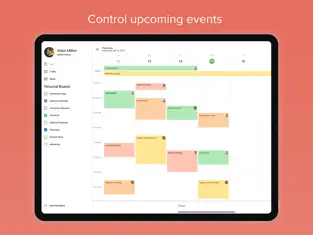
Planyway is an all-in-one team planner for Trello.
***Log in with Trello and see work across multiple Trello boards from one place!***
Gain better workflow, visualize project progress, organize team, and enhance team management processes with an online productivity app for better resource planning and workload management. Planyway works smoothly as a personal productivity app, or a team scheduler app — it’s the perfect match for both.
TRY OUT MOST POWERFUL VIEWS:
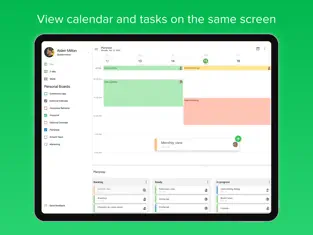
• Weekly calendar
• Monthly calendar
• Team timeline
• Daily organizer
• Time tracker
WHY CHOOSE PLANYWAY:
Productivity Guru
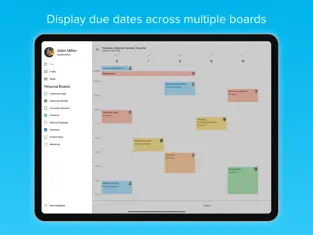
• Never miss deadlines
• Easily automate repetitive work
• Track tasks assigned to you across boards
• Sync with other calendars to see your full schedule
Teamwork Game Changer
• See who’s working on what at any moment
• Keep everyone in the loop with real-time updates
• Break up big tasks into subtasks and share responsibilities
• Map out project milestones and reach them together
Go-to-Tool for Product Managers
• Understand how your teamwork fits into the big picture
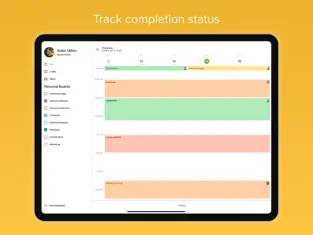
• Know how work is progressing at a glance
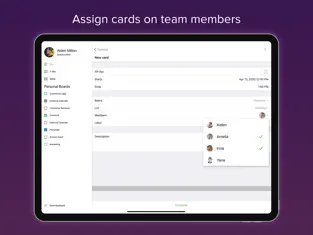
• Allocate tasks to teammates in clicks
• Connect multiple boards to work across teams and projects
BEST PLANYWAY USE CASES:
• Project Management
Monitor all your Trello boards right on your mobile and keep track of how work is progressing from stage to stage.
• Resource Planning
Visualize your team members on a timeline and see who is working on what. Check availability and assign new tasks for all the team even away from the desk in one work schedule calendar.
• Personal Scheduler
View only tasks you’re responsible for in My tasks view. Connect Google or Apple calendar and get full control over your schedule.
• Team Calendar
Improve team collaboration with a clear overview of upcoming deadlines to keep your team in the loop.
• Task Manager
Create detailed task lists and organize everything on a project plan. Set deadlines and manage assignments with ease.
SIGN IN WITH YOUR TRELLO ACCOUNT
• Planyway is fully synchronized with your Trello boards
• Real-time sync allows all updates scheduled in Planyway app happen in Trello at the same time across all your devices
GET IN TOUCH WITH US:
Access customer support 24/7
Send your message at support@planyway.com
USEFUL LINKS:
Visit us at https://planyway.com/
Privacy policy: https://planyway.com/legal/privacy-policy
Terms of service: https://planyway.com/legal/terms-of-use
Planyway: Trello Calendar Light Italic. At the same time, it adds that it does not consume many resources, so it can be installed in almost any
Iphone . With Planyway: Trello Calendar you can:. Nos opinó Juan Carlos Salas Now every task is scheduled, assigned, and organized, aND they are always adding new features but also planyway changed everything
If we compare it with apps of its style, we can say that
Planyway: Trello Calendar is more defined, with a more comfortable style to use and, of course, with some features that are not easily found in other apps. Planyway: Trello Calendar Live Wallpaper...