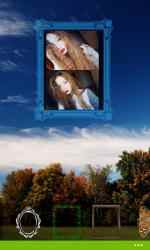
Try this simple way of creating unique photo collages. Place your photos against the background of wood landscapes. With the constructor, you can easily fit your images into any landscape. To do this, you will have frames with translucent edges at your disposal, as well as a set of standard photo frames. Each frame can be moved to any spot on the screen, and the scale can be set.
Add decorative elements to your creation – beetles, leaves, animals... You can freely move, scale, turn and set the transparency of each element. If you’ve used an animal – click on it and you’ll hear the sound it makes.
The constructor automatically saves your works, and at the next launch you can easily continue to work on your creation. You can save the end result in the gallery, and share it with your friends on social networks, pin to lock screen.
Features:
- support for vertical and horizontal orientation;
- automatic view of your collages;
- option of background birdsongs;
- prevention of the lock screen launch while the application is running;
- use the application tile to view landscapes;
- detailed information on use.
Photo constructor: Forest is a fan based application for...
Photo constructor: Forest , one of the apps developed by
Profautomation team for
Windows devices. Don't hesitate to download
Photo constructor: Forest for
Windows if what you're looking for on Downloads.com is the best for
Photos and videos Profautomation has managed to position
Photo constructor: Forest as a benchmark for
Photos and videos getting more than
932 downloads in a short time.
Amazing collection of Photo constructor: Forest... Photo constructor: Forest is a game unlike any other.
- prevention of the start of the lock screen while the application is running;
features:
- detailed information about the use.
- automatic view of your collages;
- support for portrait and landscape orientation;
Try this easy way to create unique photo collages. Place your photos against the backdrop of wooden landscapes. With the builder you can easily fit your images to any landscape. To do this, you will have at your disposal frames with translucent borders, as well as a set of standard photo frames. Each frame can be moved anywhere on the screen and scaled.