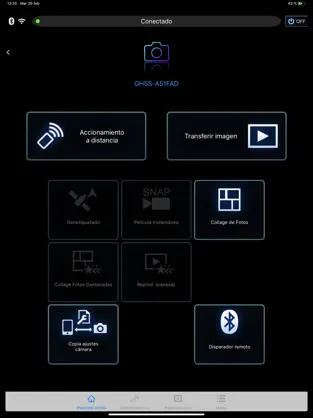
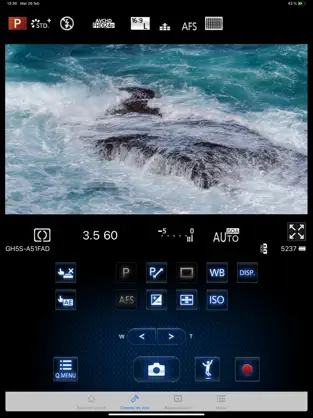
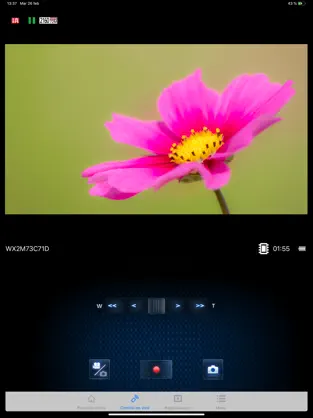
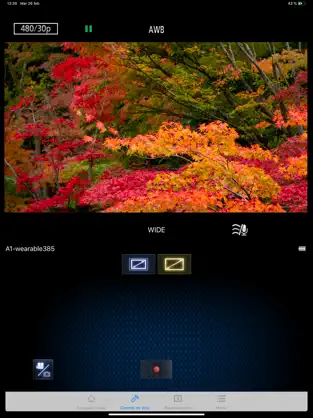
“Panasonic Image App” is an application that makes it possible to use your smartphone to remotely control the shooting and playback functions of a Wi-Fi-compatible digital camera/digital video camera, and to perform upload operations to SNS (Social Networking Service) sites.
The following major functions are available with this application.
・You can watch the same image as on the Live View screen of your digital camera/digital video camera on your smartphone, and control shooting and other camera operations as with a wireless remote controller. (*1)
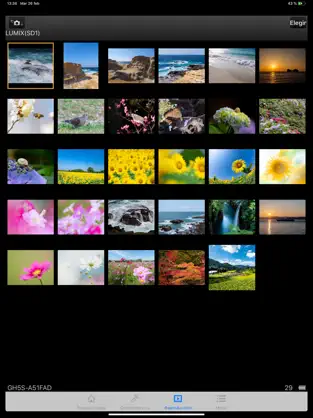
・You can play back still pictures and videos recorded using your digital camera/digital video camera on your smartphone. (*2) (*3) You can also copy them to your smartphone, and upload them to SNS sites. (*3)
Additional functions for digital cameras
・This app allows you to implement continuous connection with a digital camera that has Bluetooth function and make Wi-Fi connections and perform remote operation just with your smart phone. It also allows you to apply location information to recorded images and easily perform automatic transfer of images.(*4)
・You can make settings to automatically transfer still pictures recorded with your digital camera to your smartphone.
・You can add location information acquired with your smartphone to pictures recorded using your digital camera.
(*1) With DMC-SZ8/SZ9/SZ10/TZ55/TZ56/TZ57/TZ58/ZS35/ZS45, it is not possible to remotely record videos from a smartphone.
(*2) With DMC-FT5/GF6/LF1/SZ8/SZ9/SZ10/TS5/TZ37/TZ40/TZ41/TZ55/TZ56/TZ57/TZ58/ZS27/ZS30/ZS35/ZS45, it is only possible to play back still pictures.
(*3) Not supported on HC-X1000.
(*4) This function can only be used with devices that support Bluetooth 4.0 or above (Bluetooth low energy technology).
[Compatible Operating Systems]
iOS 16 – 26
[Notes]
・Bluetooth function can only be used with smart phones equipped with Bluetooth 4.0 and above (Bluetooth low energy technology).
・When using the location information recording function, note that high accuracy location information cannot be acquired with the iPod touch or the Wi-Fi version of the iPad that is not equipped with a GPS sensor.
・When using an iPhone or iPad that is equipped with a GPS sensor, be aware that continued use of the GPS function can lead to a dramatic decrease in battery capacity.
・In order to use the SNS upload functions or the Cloud Sync. Service, you must first obtain a service user ID for Panasonic’s LUMIX CLUB (free of charge).
・Continued use of GPS/Bluetooth running in the background can dramatically decrease battery life.
・The function to transfer images to an AV device can no longer be used. (Version 1.10.7 and later)
・The function to delete images can no longer be used. (Version 1.10.15 and later)
・The function of "Home Monitor" can no longer be used. (Version 1.10.19 and later)
・The function of "Baby Monitor" can no longer be used. (Version 1.10.19 and later)
Advantages and disadvantages of Panasonic Image App
. Connect with Panasonic Image App efficiently and seamlessly... It is an app highly valued by the community, an essential part of its success since
Panasonic corporation can make many of the improvements and updates through them. Como nos dijo Juan Francisco Ferrer Age an app cannot be made/maintained to simply work, won’t connect but alsso worse than no app
That is why more than
979 people have downloaded this software on Downloads.com One of its strong points is its configuration options that will make it easier to use. Connect with Panasonic Image App efficiently and transparently...