-
Downloads
-
Windows
-
Company
-
OptCut Free
OptCut Free
WARNING! This version of the OptCut Free App will no longer be updated or supported.
We invite you to download the new version already available on the Microsoft Store.
To do so, you can visit the following link
https://apps.microsoft.com/store/detail/XP9CV6RFKZF69G
or search for "OptCut Free - Ottimizzazione del taglio" in the Store Apps.
-------
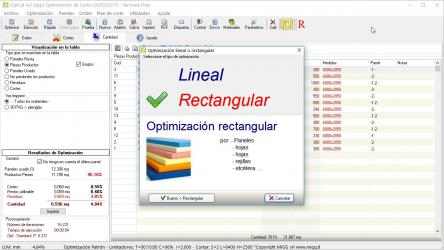
OptCut Free is an App for automatic optimization of linear or rectangular cutting planes, like rolls, bars, pipes, panels, profiles, plates, frames, beams, coils of different materials such as: glass, wood, sheet metal, plastic, marble, metal, aluminum, steel, cardboard, Plexiglas, polycarbonate, etc.
OptCut Free can handle orders containing up to 30 pieces in linear optimization and 50 pieces in the rectangular one!
Is intended for those who manage production processes in which linear and rectangular shapes/cuts are required has as main objective to minimize waste, reusing leftovers and allow substantial savings in material and therefore produce higher earnings.
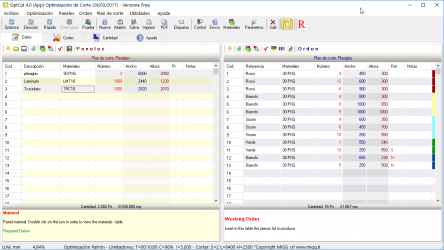
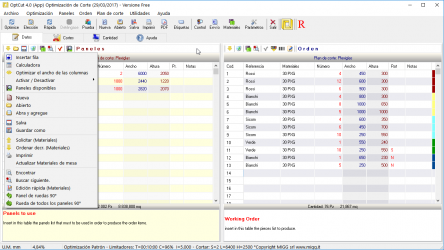
In only 3 simple steps you to generate the optimized cutting plane: you only have to select the material to be used, place the pieces to produce and start processing.
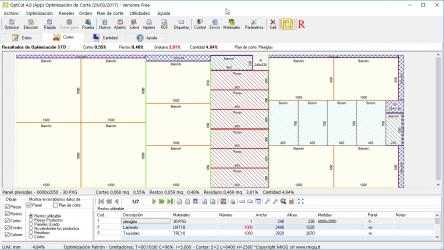
At the end of the process, OptCut Free displays the cutting plants which can also be printed in PDF format.
OptCut Free Bold. Lots of fun images to choose from, user-friendly design, bright colors and many other features are waiting for you in OptCut Free. Unique properties of OptCut Free:.
OptCut Free - free ringtone app.... Play new song by OptCut Free...
It is intended for those who manage production processes in which rectangular / linear shaped cuts are needed and has the initial motive of minimizing waste, reusing stocks and thus allowing substantial savings in material and, therefore, generate higher profits.
At the absolute end of the process, the cut plants appear that can be printed in PDF format
The use of the App is simple and allows you to generate the optimized cutting map in 3 simple steps: you only have to choose the material to use, insert the pieces of elements to produce and start processing.