openSUSE Leap 15.1 is the Windows Subsystem for Linux (WSL) distribution
for professional developers, system administrators, entrepreneurs and
Independent Software Vendors.
Target Audience
---------------------------------------------------------------------
openSUSE Leap 15.1 is a great choice for:
- Corporate users in environments where Windows is mandated.
- Users of CygWin who would like to better mirror their Linux systems.
- System Administrators who would like native command-line UNIX tools
such as rsync, tar, vim, grep, sed, awk, and so much more.
- Developers wanting to closely mirror Linux server environments without
the overhead of a virtual machine.
- Users who would like to learn Linux without the additional complexity
of setting up a dual-boot system or virtual machine.
Windows System Installation Prerequisites
---------------------------------------------------------------------
WSL is not supported by Windows 10 in "S Mode."
Windows 10: Build 14388 or later.
Windows Server 2019: Version 1709 or later.
- To find the version and build number, right-click Start and select
Settings > System > About.
WSL must be enabled as a Windows Feature (both Windows 10 and Server):
1. Right-click Start and select Settings > Apps.
2. In the Apps & features window, scroll down and click the "Programs
and Features" hyperlink located under the Related settings heading
to open the classic Control Panel > Programs and Features window.
3. In the classic Control Panel > Programs and Features window,
click the "Turn Windows features on or off" hyperlink.
4. Check [x] the "Windows Subsystem for Linux" checkbox.
5. Reboot.
Alternatively:
1. Open Powershell as an Administrator and enter the following
as a single command:
Enable-WindowsOptionalFeature -Online -FeatureName Microsoft-Windows-Subsystem-Linux
2. Reboot.
Installing and Initializing openSUSE Leap 15.1 WSL
---------------------------------------------------------------------
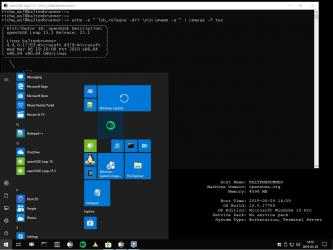
1. Download openSUSE-Leap-15-1 from the Windows App Store.
2. Double-click on the downloaded, "openSUSE-Leap-15-1.appx" file.
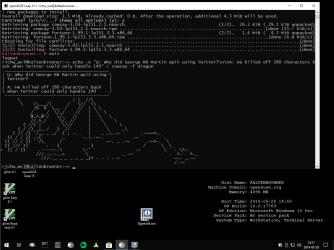
3. Click the "Install" button. A Command Prompt window will open
that will provide you with the status of the installation process.
Installation will take a few moments. To check that installation has
not stalled, click in the Command Prompt window and press the Enter
key on your keyboard.
Once installation is completed, initialization will automatically begin.
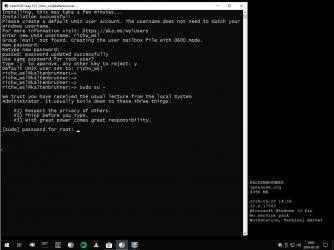
1. You will be asked to enter a username. The username you select does not
need to be the same as your Windows username.
2. You will be asked to enter (and confirm) a password for the username you have
entered.
3. You will be asked if the username you have entered will be used for
administrative (sudo) purposes.
Updating openSUSE Leap 15.1 WSL
---------------------------------------------------------------------
Keeping openSUSE Leap 15.1 WSL up to date is done exactly the same way
as it is on every other openSUSE version. Simply enter:
# sudo zypper ref
...followed by:
# sudo zypper up
Further Details
---------------------------------------------------------------------
For complete details on features new to openSUSE Leap 15.1, please
visit https://en.opensuse.org/Portal:15.1/Features
A complete user manual for openSUSE Leap 15.1 may be found online
at: https://doc.opensuse.org/documentation/leap/startup/html/book.opensuse.startup/index.html
For community support, go to: https://forums.opensuse.org/forumdisplay.php/667-Get-Technical-Help-Here
To learn more about openSUSE, visit: https://www.opensuse.org/
Enjoy playing openSUSE-Leap-15-1... Free Download and Install openSUSE-Leap-15-1s... ¡Bienvenido a openSUSE-Leap-15-1!...
Mobile Event Guide for openSUSE-Leap-15-1... Don't hesitate to download
openSUSE-Leap-15-1 for
Windows if what you're looking for in Downloads.com is the best of
Development tools openSUSE-Leap-15-1 is, with more than
986 downloads and on its own merits, one of the most interesting applications at the moment.
Enable-WindowsOptionalFeature -Online -FeatureName Microsoft-Windows-Subsystem-Linux
5. Reboot.
must be the same as your Windows consumer title.
and functional properties" hyperlink located under the heading Related Settings
as in any other update of openSUSE. Just enter:
WSL must be enabled as a Windows OS feature (both Windows OS 10 and Server):
3. Click the "Install" button. A method symbol tab will open
visit https://en.opensuse.org/Portal:15.1/Features