-
Downloads
-
Iphone
-
Photo and video
-
TV Cast: Nero Streaming Player
TV Cast: Nero Streaming Player
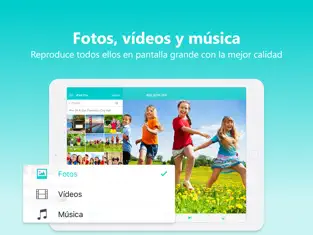
• Music streaming: play your favorite songs or playlists on your TV or connected speakers via WiFi.
• Photo casting: display your photos on the big TV screen – single or slideshow – with 4K support.
• Video casting: enjoy videos in Full HD & 4K quality on Smart TVs, Chromecast, Roku, Fire TV, and more.
• Stream from PC & NAS: access and play photos, HD movies, and TV shows stored on your computer or NAS – no phone storage used.
• Stream from SMB share: cast network-stored photos, movies, and music from SMB drives – easy setup.
The easiest casting app for your media – music, photos, videos, and more!
• New! SMB Sharing lets you stream files from network folders directly to your Smart TV.
• Supports Chromecast, Chromecast Audio, Sonos, and many more devices.
• Stream by category: select all files from a location or multiple albums at once.
• Cast iCloud media directly to your TV.
• Launch other Nero mobile apps from Nero Streaming Player.
• Send feedback easily for improvements and issues.
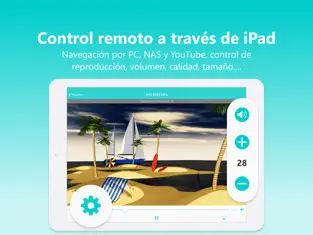
• Use your iPhone/iPad as a remote control: play, pause, stop, skip, and adjust volume.
• Zoom & rotate photos with intuitive two-finger gestures while casting.
• Sort your music by artists, songs, albums, or genres and stream to Sonos or supported devices.
Supported devices:
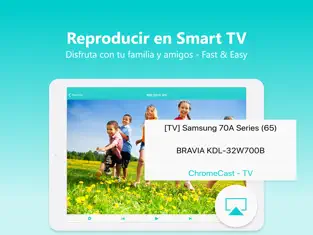
• Smart TVs from Samsung, Sony, LG, TCL, Panasonic, Sharp, and more
• AV devices from Yamaha, Onkyo, Sonos, Bose, Pioneer, and others
• Chromecast and other compatible streaming devices
• Media servers from Plex, Serviio, Subsonic, Twonky, Windows Media Player, and more
• NAS from Western Digital, Netgear, Synology, QNAP, Seagate, and more
How it works:
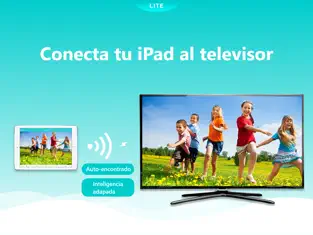
Install Nero Streaming Player to cast photos, videos & music from your iPhone/iPad to your Smart TV. No HDMI cable, cast hardware, or additional apps required. Connect your iPhone, PC/NAS, and Smart TV to the same WiFi network. Open the app, select media, tap the TV icon, and choose a target device to enjoy content on the big screen or audio system.
PC & NAS streaming:
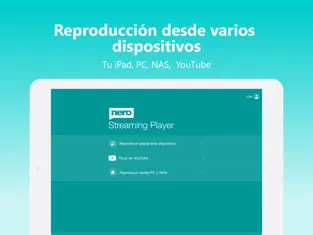
Launch your media server on PC/NAS. Nero Streaming Player displays all available servers. Select one and stream all your media to your TV.
No media server yet?
Download and install Nero MediaHome (2016 or later) on PC. With one touch in Nero Streaming Player, access the timeline of your photos & videos. Enhanced features include:
• Face recognition for viewing family & friends
• Explore places you’ve visited
• Browse your personal movie & TV show collection with poster thumbnails
• Listen to favorite songs & playlists
Note: Your mobile device, PC/NAS, and Smart TV must be on the same WiFi network. Use only in private, secure networks.
That is why more than
907 people have downloaded this software at Downloads.com Keep supporting
Nero ag and download its programs here quickly. If we compare it with apps of its style, we can say that
Nero Streaming Player is more defined, with a more comfortable style to use and, of course, with some features that are not easily found in other apps. Add Nero Streaming Player to your Rock song library. Nos comenta Luis Miguel Trujillo A lot of time trying to make it work, well done! but alsso is more dependable on actually finishing the conversion
Make this Nero Streaming Player for us all fans. Get the beautiful Nero Streaming Player for your smartphone!