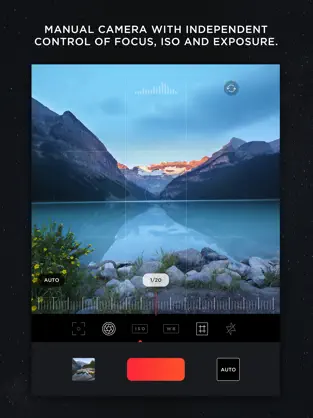
Try the App Store Editor's Choice manual camera app - make quality RAW photos, take pictures of the moon and edit your photos using unique presets and color settings.
Capture the perfect look for your photos with the next generation image editor MuseCam! Shoot and edit your images using film-emulating presets, pro grade tools, and advanced camera controls.
Discover advanced MuseCam features:
• Manual Camera
Custom exposure for your iPhone camera with independent control of shutter, ISO, white balance & focus.
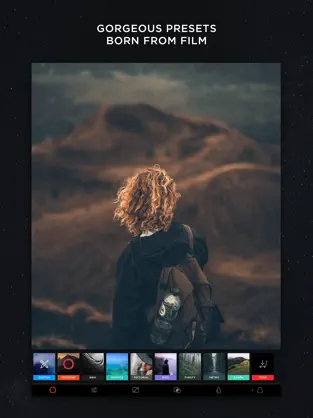
• Gorgeous, Film-Inspired Presets
MuseCam features a superior collection of presets, diverse in nature. Some of the world's finest photographers have contributed their secret formulas that emulate film in a timeless, and beautifully subtle way.
• No-Import Editing
Speed is the name of the game. Forget the slow, multi-tap import process. Your photos are ready to edit right away.
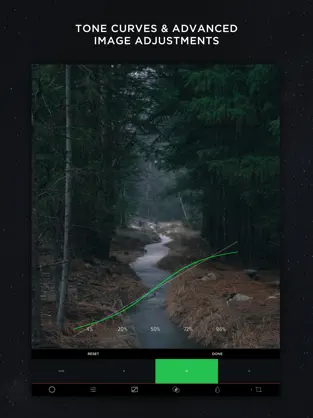
• RGB Tone Curves
Capture the perfect tone with the Curves tool, allowing independent access to the red, green and blue color channels.
• CMYK Tone Curves
Further tweak your photos with precision with independent access to the Cyan, Magenta, Yellow and Black color channels.
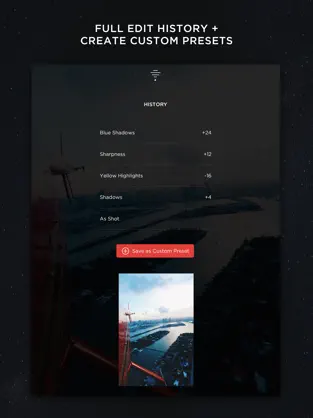
• Create Custom Presets & Filters
Create a custom preset from scratch, or edit existing ones to perfect the look you're after. Quickly apply them to any other photo in your library.
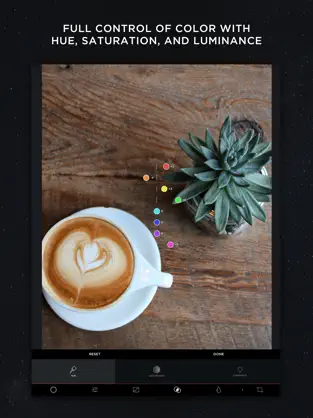
• Color Tool
Adjust the hue, saturation, and luminance of different colors.
• Complete Edit History
MuseCam stores your full edit history, allowing you to come back at any time to make changes to your workflow.
• Split Toning
Infuse color into the shadows or the highlights of your photo, or both.
• Depth of Field Tool
Simulate depth of field by applying a lens blur to your photo. Intensify the blur with multiple swipes, or by taking advantage of Apple’s 3D Touch technology.
• Professional Image Adjustments
Edit every detail on your photo using professional adjustment tools such as exposure, brightness, saturation and more.
Payment will be charged to your Apple ID account at the time of purchase confirmation. Subscription renews automatically unless it is canceled at least 24 hours before the end of the current period. Your account will be charged for renewal within 24 hours prior to the end of the current period. You can manage and cancel your subscriptions by going to your account settings on the App Store after purchase.
Privacy Policy: https://onelightapps.io/privacy-policy
Terms of Use: https://onelightapps.io/terms-of-use
MuseCam - Photo Editor's Official App ... If we compare it with apps of its style, we can say that
MuseCam - Photo Editor is more defined, with a more comfortable style to use and, of course, with some features that are not easily found in other apps. Don't hesitate to download
MuseCam - Photo Editor for
Iphone if what you are looking for in Downloads.com is the best
Photo and video With more than
918 downloads
MuseCam - Photo Editor is known as one of the best
Photo and video . La opinion de Juan Manuel Serra All i want is simple, key controls
White bal, exposure, will be using a lot more and also i have no idea why it doesn’t
Enjoy playing Funky Game MuseCam - Photo Editor!... This
Photo and video program is very easy to use.