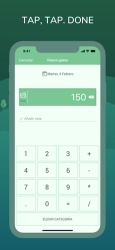
How to track your expenses successfully? We know that it’s easy. You only need to add each expense you do… no more than that! And Monefy is going to help you. Just add new transactions when you are buying a coffee or taking a taxi. It’s done in one click, because you do not need to fill anything except the expense amount. It has never been so quick and enjoyable!
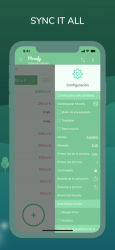
Do you own a phone and a tablet? Or you want to track expenses together with your significant other? Monefy fits the best. You can safely synchronize data between devices using your own Google Drive or Dropbox account. Create or change records, add new categories or delete old ones and they will be present on another devices right away!
Key features which make tracking enjoyable and powerful:
1. Intuitive and easy to use user interface. No redundancy
2. Add new records extremely fast
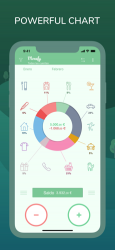
3. See your spending distribution on the nice and informative chart or get detailed information from the records list
4. Multi-currency support
5. Manage categories if defaults do not work for you
6. Be safely synchronized using your own Google Drive or Dropbox account
7. Choose the report period
8. Track recurring records easily
9. Passcode protection
10. Multiple accounts support
11. Built-in calculator
MONEFY PREMIUM:
The app offers an auto-renewing Premium Subscription. Payment will be charged to iTunes Account at confirmation of purchase. Subscription automatically renews unless auto-renew is turned off at least 24-hours before the end of the current period. Account will be charged for renewal within 24-hours prior to the end of the current period, and identify the cost of the renewal. Subscriptions may be managed by the user and auto-renewal may be turned off by going to the user's Account Settings after purchase. Any unused portion of a free trial period, if offered, will be forfeited when the user purchases a subscription to that publication, where applicable.
Any prices referenced are in US Dollars (USD). Pricing in other currencies and countries may vary and actual charges may be converted to your local currency depending on the country of residence.
Privacy Policy: https://monefy.com/privacy-policy
Terms of Service: https://monefy.com/terms-of-service
Find more information on our website - https://monefy.com
Monefy: Control de gastos application for Windows Phone devices.Featu. Monefy: Control de gastos Application ... Monefy: Control de gastos is a professional video playback tool. Nos opinó Susana Alba I even got the premium, they maintain it!
But still looking forward for some upgrades! and teh is simple to use
¡Bienvenido a Monefy: Control de gastos!... Free Download and Install Monefy: Control de gastoss...
How to track your expenses successfully? We know it's easy. You just have to add each expense you make... it's that simple! And Monefy will help you. Simply increase add modern registers at the time you buy a coffee or order a taxi. It is done with a single click, because it is only necessary to fill in the amount. It has never been so instant and fun! Do you have a phone and a tablet? Or do you want to keep track of expenses with your partner? Monefy suits all the best. you must foolproofly sync references between all your devices. Build Customize develop or modify records, put contains firsts categories or discard old ones and they will be updated immediately on your other devices.Password functions that make tracking fun and effective:1. Easy to see and easy to use client interface. No redundancy 2. Current records are added extremely quickly3. Multi-currency support4. See the distribution of your expenses in the attractive and informative graph or get detailed data from the list of records5. keep the categories if the default values don't work for you6. Sync reliably by managing your own Google Drive or Dropbox7 account. Use the budget method8. run a backup and export the references with a single click9. password protect 10. Support for a few different accounts11. Integrated calculator12. No adsYou can find more info on our website http://w...