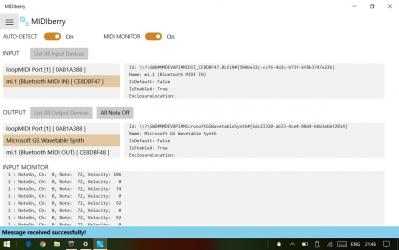
You can send MIDI signals from INPUT to OUTPUT, between different MIDI devices. Support Bluetooth MIDI (BLE MIDI / MIDI over Bluetooth LE)
When you connect a MIDI keyboard (INPUT) with a PC, you can play Microsft GS Wavetable Synth (OUTPUT).
If you want to use DAW or software instruments, use virtual MIDI port application such as loopMIDI.
BLE MIDI (MIDI over Bluetooth LE) and UWP MIDI API support.
Please tell me whether this software worked on your Bluetooth devices.
Note
- When using loopMIDI, please start loopMIDI before starting MIDIberry
- When using loopMIDI, do not select the same port for INPUT and OUTPUT of MIDIberry.
- After updating Windows, pair the Bluetooth MIDI device again.
- Large amounts of system exclusive messages are dropped. This is due to the Windows specification, so I don't think we can do anything.
Version 1.1.2
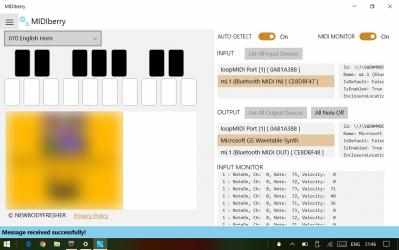
- Add channel selector for virtual keyboard, ad
Version 1.1.1
- Change the display format of the MIDI monitor (channels: 1-16 instead of 0-15. Some digit alignment etc.).
Version 1.1.0
- You can save the selected port and restore it at restart (autosave, auto restore).
- You can now recognize the port name of loopMIDI correctly (UWP MIDI on
- Add virtual keyboard
- Windows 10 does not report the port name correctly, so we analyzed it independently).
Keep supporting
Newbodyfresher and download their programs quickly here. MIDIberry Free Ringtone App... this app for MIDIberry...
+ 5M MIDIberry ... MIDIberry for all of you everywhere...