-
Downloads
-
Iphone
-
Utilities
-
Microsoft Edge
Microsoft Edge
Browse with Microsoft Edge, your everyday web browser with built-in Copilot. From finding information to making sense of it, Copilot works alongside you to streamline everyday browsing, so you can turn ideas into action and get it done faster.
Copilot in Edge helps you search, browse, and explore, so you can make decisions faster with more confidence, all in one place. Summarize lengthy articles and videos, get answers about what you are browsing, and turn ideas into drafts or images – without breaking your flow. Whether you need a quick answer or deeper help, Copilot in Edge adapts to support how you work, right when you need it.
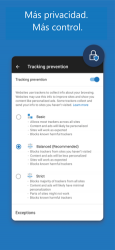
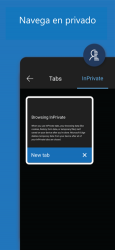
Stay safer with built-in security tools like tracking prevention, AdBlock Plus and Microsoft Defender Smartscreen. When you want extra privacy, switch to InPrivate mode to keep your browsing history protected.
Do more with less effort. With Microsoft Edge, everyday browsing is faster, more intuitive, and focused.
Explore the web effortlessly with Copilot built-in
• The Copilot-inspired new tab page brings together Copilot with browsing. Now your queries will get routed to search, chat or web automatically – all in one place.
• Copilot understands context across your open tabs, helping you compare information, summarize, brainstorm and connect ideas across pages, so you can move faster and make decisions with confidence without switching tabs.
• Get help from what’s on your screen. With Vision, Copilot can scan, analyze, and brainstorm with you on the content you’re browsing.
• Quickly summarize the content of the webpage, PDF or video you are viewing
• Get the right level of help for the moment—quick answers when you’re moving fast, deeper insights when you need it.
Make the most of your time online
• Microsoft Edge is a fast, reliable web browser designed to help you stay focused and get things done.
• Listen to articles and pages with Read Aloud while multitasking, using natural sounding voices in your preferred language.
• Group tabs by topic with one click to keep browsing organized and clutter free.
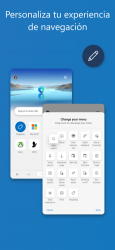
• Customize your experience with extensions for shopping, blocking distractions, and more.
• View webpages your way with page translation as you browse.
• Earn Microsoft Rewards points faster by browsing in Microsoft Edge.
Stay safer online
• Tracking Prevention helps protect your personal data.
• InPrivate mode keeps your activity private.
• Password monitoring alerts you if saved credentials are found on the dark web.
• AdBlock Plus blocks unwanted ads and distractions.
• Microsoft Defender SmartScreen helps protect you from phishing and malware.
Some screens are simulated, subject to change.
Microsoft Edges 2020... The best way to shop with Microsoft Edge on Android!... This is the official mobile app of the Microsoft Edge. Dice Maria Luz Valencia It has great performance, lots of features like ad blocker without a lot of upgrades
That is why more than
989 people have downloaded this software on Downloads.com Of all the versions of this program, we believe that the
Iphone is the most reliable and developed. Connect with Microsoft Edge seamlessly...
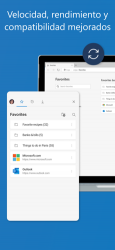
Presentation of the new Microsoft Edge. It is time to wait more. More privacy. More control. More productivity. More value. Navigate anywhere with seamless dexterity, from your phone, computer, or any other terminal device you're logged into. Microsoft Edge gives you tools to protect your privacy online with features like Tracking Prevention, AdBlock Plus, and the InPrivate system. regulate the chaos of the web and make it more obvious to find, view and process content as you move from one location to another. With world-class compatibility and performance, as well as the latest features, the new Microsoft Edge is the original browser you'll ever need. The first features of Microsoft Edge: A more personalized browsing prowess • Your bookmarks, passwords, and other saved references are reliably synced across all your devices. Take control of your data • New! Tracking prevention blocks placement trackers that you don't directly access. It's enabled by default, so you don't have to create anything at all to start enjoying more private browsing prowess. Browse in private • When you use the InPrivate tabs, your browsing references (such as cookies, history, autofill info or temporary files) will not be saved on the mobile device once you close to. ..