-
Downloads
-
Windows
-
Utilities and tools
-
Metro Commander Pro
Metro Commander Pro
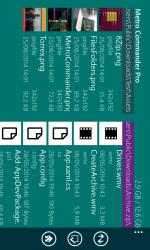
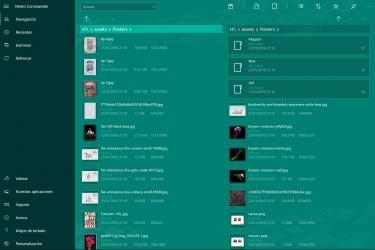
Metro Commander is an orthodox file manager which allows you to manage your files and folders from within the Modern Windows UI interface.
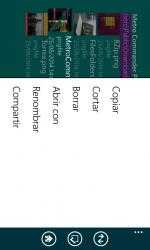
Easily create, open, preview, rename, copy, move, delete, search and share files and folders.
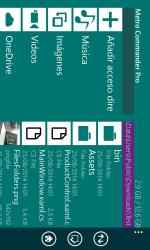
Browse your documents faster with navigation buttons (back, forward, up), thumbnail previews, shortcuts to your Images, Music and Videos folders and the ability to add shortcuts to your favorite folders.
Manage your online files by logging into your OneDrive account.
App features:
• Dual-pane interface to easily copy, move, create, rename or delete files and folders.
• Ability to launch executable files on Desktop family devices (desktops, laptops, tablets). In Windows 10 S, you can only launch executable files that are allowed by system.
• Opening and extracting files from archives (RAR, ZIP, 7z, ZipX, ISO, BZIP2, GZIP, TAR, ARJ, XZ, CAB...).
• Ability to Extract Here with the application from the Windows Explorer's context menu.
• Built-in viewer and media player (jpeg, png, bmp, gif, tiff, mp3, wma, m4a, aac, wav, ac3, avi, 3gp, wmv, mp4, m4v, mov).
• Support .nef files (only on Desktop devices)
• Support .ac3 files for all devices excluding Windows 10 Mobile
• Built-in document editor (doc, docx, rtf, txt ) for all devices excluding Windows 10 Mobile
• Adding folders to Favorites and pinning them to the Start Screen.
• Quick and convenient browsing of files and folders.
• Audio playback in the background.
• Share file support to other apps.
• Search for files and folders.
• Snapped mode support.
• Thumbnail previews.
• Video and image preview.
• Bulk operations.
• Support for multiple selections.
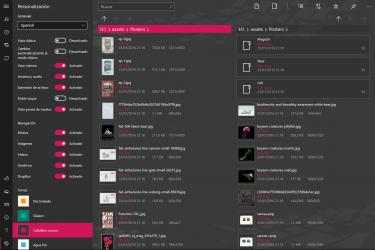
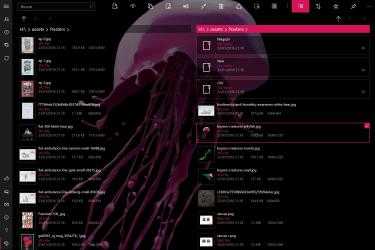
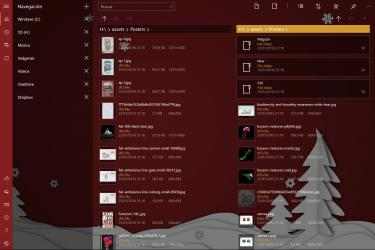
• Themes and backgrounds, Bing wallpaper.
• OneDrive access.
• Dropbox access.
• Google Drive access.
• Yandex Disk access.
• FTP access.
• Operating with the system Clipboard (copying to the Windows Explorer).
• Autorun when inserting portable devices and flash drives.
• Hotkey commands.
Release notes:
05/03/2018
• Built for Windows 10 April 2018 Update.
• Ability to run multiple instances of the application.
• Access to the file system.
• Ability to Extract Here with the application from the Windows Explorer's context menu.
03/30/2018
• This version is targeted for Creators Update.
• Added app window transparency (aka Fluent).
• Added compact overlay mode for image/audio/video viewer (aka Picture in picture).
• Added equalizer to audio player.
• Added support for Google Drive and Yandex Disk.
• Added support for FTP connections.
04/12/2017
• Added ability to launch executable files on Desktop family devices (desktops, laptops, tablets). In Windows 10 S, you can only launch executable files that are allowed by system.
11/15/2016
• Xbox One support.
• Comic Book Archive support (.cbz, .cbr)
• Support for background images in the GIF format.
• UI improvements.
12/31/2015
Metro Commander is available for Windows 10 now.
03/11/2015
Metro Commander is Universal app from now.
Creating ZIP and 7z archives.
Unpacking RAR5 archives.
View animated images in the GIF.
Rotate images.
Added languages: Polish, Turkish, Chinese.
14/03/2014
SkyDrive has been renamed to OneDrive
02/14/2014
Has been improved support of archives:
- creating
- editing
- viewing files inside archive
Added Spanish language support
Added support of .srt subtitle
Bug fixes
01/21/2014
The problem with duplication of favorites has been fixed
12/24/2013
MKV support
Italian translation
12/10/2013
Stuck on start was fixed
10/10/2013
Added Classic View designed for mouse and keyboard use
07/15/2013
Dropbox support
06/20/2013
Archives unpacking RAR, ZIP, 7z, ZipX, ISO, BZIP2, GZIP, TAR, ARJ, XZ, CAB, etc.
Multivolume archives support
Password protected archives support
03/05/2013
Dutch and Portuguese translation
01/31/2013
Keyboard shortcuts page
01/14/2013
French language
Grab your backpack - it's time for Metro Commander Pro! Metro Commander Pro official app. There are tons of apps of this style on
Windows , but we have chosen
Metro Commander Pro as one of our favorites without a doubt.
Metro Commander Pros 2020...
Metro Commander Pro is, with more than
933 downloads and on its own merits, one of the most interesting applications of the moment.
Browse your files more instantly with navigation buttons (back, forward, up), file thumbnails, shortcuts to your Pictures, Songs and Videos folders and the opportunity to add shortcuts to your favorite folders.
Manage your files online by signing in to your OneDrive account.
Metro Commander is a file manager which allows you to use your files and folders within the Modern UI interface of Windows.
Create, open, view, rename, copy, move, delete, find and distribute files and folders easily.