-
Downloads
-
Iphone
-
Photo and video
-
Iriun Webcam for PC and Mac
Iriun Webcam for PC and Mac
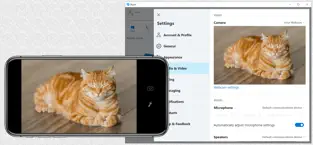
Use your iPhone's camera as a wireless webcam in personal computer. Install needed drivers and enjoy iPhone's sharp image with your favourite PC and Mac video applications.
Installing Iriun Webcam drivers for your computer:
1. Please make sure to download the needed PC/Mac software from https://iriun.com
2. Run the installer and follow instructions on the screen.
Using Iriun Webcam:
1. Launch Iriun Webcam app on your iPhone
2. Start Iriun Webcam Server on your PC/Mac
3. The phone is connected automatically to your computer using wireless WiFi network and the camera is ready to use.
4. Configure PC/Mac applications to use Iriun Webcam as a video source
Iriun Webcam for PC and Mac Mobile App... Iriun Webcam for PC and Mac 2021... Iriun Webcam for PC and Mac has an interface that will allow the user to carry out their operations without any complications. Dice Berta Nuñez Well, this app was a GREAT app, such an easy set up,, i’ve used this for about 2 years now however anyway there is a
Iriun Webcam for PC and Mac official app. Enjoy playing Iriun Webcam for PC and Mac...