-
Downloads
-
Iphone
-
Photo and video
-
Sony | Imaging Edge Mobile
Sony | Imaging Edge Mobile
Imaging Edge Mobile allows images/videos to be transferred to a smartphone/tablet, enables remote shooting, and provides location information to images captured by a camera.
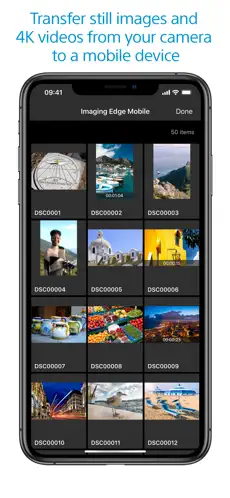
■ Transfer images from a camera to a smartphone
- You can transfer images/videos.
- The selection and transfer of images after shooting are no longer needed as the automatic background transfer function allows images to be transferred to a smartphone as they are captured. *1
- High bit rate video files including 4K can be transferred. *2
- You can view and transfer images in your camera from your smartphone even when the camera is turned off. *2
- After transferring, you can immediately share your high quality images on social networks or through email.
*1 See here for supported cameras. Files are imported in 2MP size when using this function.
https://www.sony.net/dics/iem12/
*2 See here for supported cameras. Availability of video transfer and playback varies depending on smartphone in use.
https://www.sony.net/dics/iem12/
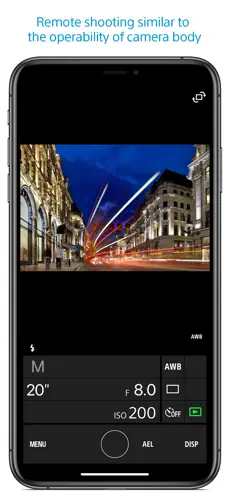
■ Remote shooting of a camera using a smartphone
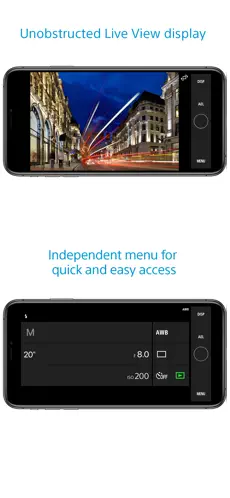
- You can capture photos/videos remotely while checking the live view of a camera on a smartphone. *3
This is convenient for capturing night views or water flowing scenes which need long-exposure, or macro shooting in which you need to avoid to directly touch the camera.
*3 Models that support PlayMemories Camera Apps can use this feature by installing "Smart Remote Control" (in-camera app) on your camera in advance.
http://www.sony.net/pmca/
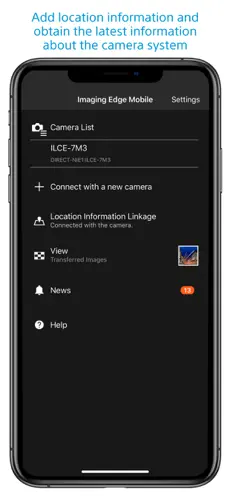
■ Record location information
- With cameras that have a location information linkage function, the location information acquired by the smartphone can be added to the captured image in your camera.
For supported models and detailed operation methods, see the support page below.
https://www.sony.net/dics/iem12/
- Even with cameras that do not have a location information linkage function, it is possible to add location information acquired by your smartphone to the photos saved on your smartphone during remote shooting.
■Save and Apply Settings
- You can save up to 20 camera settings in Imaging Edge Mobile.
You can also apply a saved setting to a camera. *4
*4 See here for supported cameras. Save and Apply Settings are supported only for cameras with the same model name.
https://www.sony.net/dics/iem12/
■ Notes
- Supported operating systems: iOS17.7-26.2
- This app is not guaranteed to work with all smartphones/tablets.
- Features/Functions available for this app vary depending on the camera you are using.
- For supported models and information on features/functions, see the support page below.
https://sony.net/iem/
Intuitive modes that are easy to understand Imaging Edge Mobile for any age. Imaging Edge Mobile is a fan-based app... With the use of Imaging Edge Mobile it becomes easier to use and even improves productivity immensely. Nos opinó Ismael Castillo Not with the frustration, invasive permissions! Buggy anyway! plus not a very helpful app
Enjoy Imaging Edge Mobile... The real success of Imaging Edge Mobile , in addition to the high quality of its content, has been the accessibility of its developers to listen to user comments and act accordingly.