Measure anything in any photo.
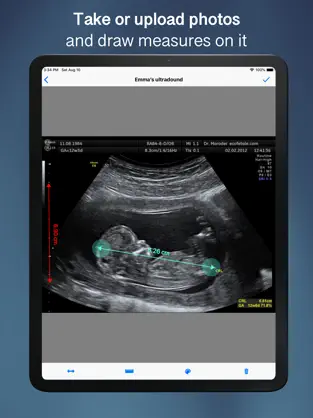
Take a photo or import one from your library, place a reference object you already know the size of, and instantly calculate real-world measurements — lengths, angles, and areas — directly on the image.
How it works
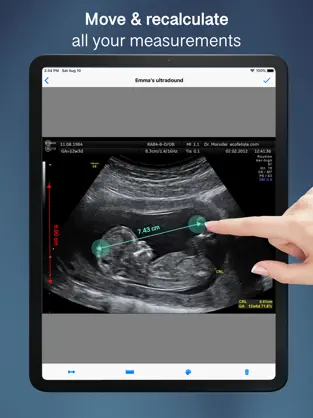
Set a reference line on a known object in your photo. From there, every measurement you draw is automatically calculated in real scale.
What you can measure
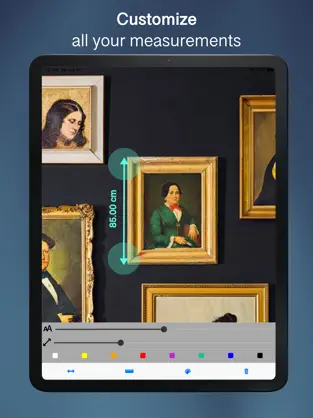
Ruler — measure distances and lengths
Arrow — annotate with directional measurements
Angle — measure the angle between any two lines
Area — tap points to outline a surface and calculate its area
Built for precision
Works entirely offline — no internet required
Metric and imperial units
Pinch to zoom for precise point placement
Undo and redo any change
Hide or show your reference line at any time
Tips for accurate results
For best accuracy, make sure your reference object and the object you're measuring are in the same plane, and that the camera was parallel to both when the photo was taken. Perspective distortion affects results.
Measurements are estimates based on the reference you provide.
Official application of Image Ruler - Measures... That is why more than
917 people have downloaded this software at Downloads.com No great knowledge is required to be able to use
Image Ruler - Measures . Image Ruler - Measures functional properties:. Dice Paula Millan App does not work, you cant click on anything and i removed the app from my phone anddownloaded it again
How many questions and words are in Image Ruler - Measures? Don't hesitate to download
Image Ruler - Measures for
Iphone if what you're looking for in Downloads.com is the best of
Productivity Image Ruler - Measures is, with more than
917 downloads and on its own merits, one of the most interesting applications at the moment.