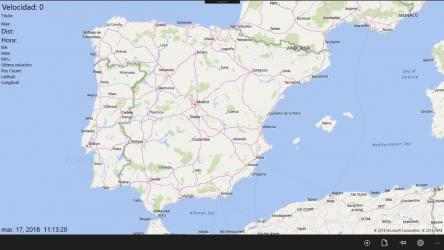
This is a great mapping and trip logging app. Use an external USB GPS device connected to your Windows 10/11 PC. View the travelled path on the map in real time as you drive, cycle or walk. The app logs your trip and saves it to a GPX file. Previous saved files can be run again later in the app or imported into Google Earth, Microsoft MapPoint or Streets and Trips and any other apps that read GPX files. Download the app on your Windows 10/11 PC or Tablet. If you still have an old Windows Phone running Windows Mobile 10 kicking around it will work on that as well. The app and the GPX files are fully compatible.
Main features
- Offline Maps! After the maps have been downloaded an internet connection is no longer required to update the map tiles.
- Add unlimited number of custom placemarks on the map.
- Real-time traffic updates (Requires internet connection).
- Replay GPX files from any source, in real time as recorded or accelerated speed.
- Saved GPX files can also be used with FreeLogBook.biz to help keep electronic logbook and track mobiles within a company. http://www.freelogbook.biz/home/
Additional language support. Currently supports Arabic, Chinese, Dutch, English, French, German, Hindi, Italian, Indonesian, Japanese, Korean, Polish, Portuguese, Russian, Spanish, Ukrainian and Vietnamese. Let me know if you need a translation for your language, if I get enough requests for a specific language I will attempt to add it.
App too expensive? Search the store for GPS Logger, it is free to download and use, but is ad supported and only allows up to 30 minutes of GPS tracking at a time.
At the same time, it adds that it does not consume many resources, so it can be installed in almost any
Windows . GPS-GPX Logger Pro Features:. The real success of
GPS-GPX Logger Pro , in addition to the high quality of its content, has been the accessibility of its developers to listen to user comments and act accordingly.
Welcome to GPS-GPX Logger Pro! That is why more than
959 people have downloaded this software on Downloads.com As a great positive point, it must be said that its design is very clean, which helps to use it easily.
The saved GPX files are also able to be managed with FreeLogBook.BIZ to help keep electronic journals and track cell phones within a company. http://www.freelogbook.BIZ/Home/
This software is designed to be used with the GPS/GNSS geolocation mobile device embedded in various latest Windows OS mobiles and tablets. If you don't have a GPS chip in your device, then you should only view maps, not track your position. (please don't give a 1 star rating for a crumb limited by your hardware and not the app :)