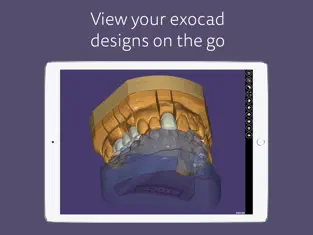
Load almost any type of 3D-model quickly and easily in our free 3D-viewer. exocad webview seamlessly loads meshes and functions intuitively on any mobile device. All common open file formats are supported – STL, OBJ, PLY and many more.
The benefits of exocad webview at a glance:
- Free to use without registration
- Simple and intuitive design
- Compatible with all open 3D data types: .stl, .obj, .ply, .wrl, .off, .eoff, .xyz, .xyzn, .xyznb, .xyzc, .asc
- Easily adjust mesh transparency
- Adjust rotation point view with Touch & Hold function
- Open ZIP files containing compatible 3D models
- Load files from iCloud, Dropbox, Google Drive and more
- Full texture mapping and vertex color support
- Orthographic and perspective projection
- Switch between flat and smooth shading
- Simultaneously load multiple files
Features for exocad DentalCAD users:
- Open and view exported HTML files from DentalCAD
- Open zipped DentalCAD project folders
- Recognizes annotations made in DentalCAD
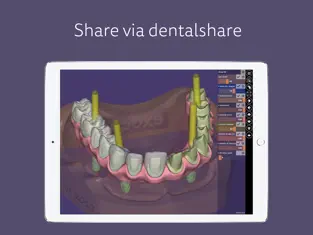
- Open and view exocad scenes via dentalshare link
- Load facial scans
- Load password-protected 3D data from DentalCAD
Our Application is also available as a web app via any browser: https://webview.dental/
What do you think about exocad webview? Please send us your feedback to webview@exocad.com !
With more than
906 downloads,
exocad webview - STL Viewer is known as one of the best programs on the
Utilities .
exocad webview - STL Viewer can be used from any device that meets the requirements. Play with exocad webview - STL Viewer! Nos opinó Francisco Jose Lara Highly recommend, i’ve tried probably 5-10 other apps plus great 3D files viewer
exocad webview - STL Viewer - Radio Online... Like any good
Utilities program worth its salt, this one does its job well and keeps us coming back to it over and over again until it becomes indispensable.