-
Downloads
-
Iphone
-
Games
-
Screen Mirroring・Cast・Mirror
Screen Mirroring・Cast・Mirror
Replica is an app that takes video from your iPhone or iPad and puts it onto your TV using screen mirroring.
Normally you'd need a device that supports AirPlay but not with Replica!
With Replica installed you can send video to almost any TV or computer.
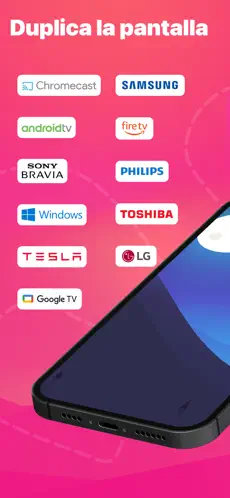
Supported devices include streaming devices such as Google Chromecast, Amazon Fire TV, Android TV, and many more.
Smart televisions from Samsung, LG, TCL, Xiaomi, Sony Bravia, Philips, Hitachi, and Toshiba are just some of those supported.
You can even use Replica to put video onto your Tesla's big screen, too. In fact, any device with Apple Safari, Google Chrome, or Microsoft Edge installed can receive video from Replica.
Being able to mirror your screen can come in super handy.
- Need to run a Keynote presentation at work, but want to be able to show everyone on a large screen? No problem.
- Want to show off photos from your vacation, but don't have an AirPlay-compatible TV? Replica has the answer.
- Want to be able to watch your home movies on almost any TV or computer? Now you can.
- Need to watch web-based video from your browser on a bigger screen? We've got you.
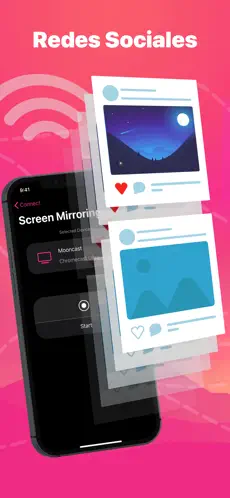
- Want to cast social media apps like Instagram or TikTok onto the TV? Replica handles it.
- Need to show messaging apps like Whatsapp or Telegram to everyone? Show it with Replica.
Using Replica is as easy as can be and is as simple as downloading the app onto your iPhone or iPad, connecting to the display device following on-screen instructions, and enjoying the show. With great video quality and low latency, Replica is the only app you need to put any iPhone or iPad into the big screen.
We're so confident that you'll love Replica that we offer a referral program invite a friend and get an extended free trial, plus a discounted annual plan!
DISCLAIMER: Some apps with copyrighted content (Apple TV, Fitness, Music, Netflix or Prime) will not work when using screen mirroring via Replica. In the case of protected content, a black screen will appear. This is not a fault of Replica, but rather a feature implemented by the content providers.
A note for Tesla users: Do not use this app while driving. The use of this app may be restricted based on your local jurisdiction. This app should only be used when the car is parked. A vehicle with the MCU2 hardware is required for screen mirroring.
The app is not affiliated with Google, Amazon, Tesla or any other trademark mentioned.
This is not an official app of Google, Amazon, or Tesla.
For any questions or concerns, please contact:
replica.cast.app@gmail.com
Website
https://www.tryreplica.com
Privacy Policy
https://www.tryreplica.com/privacy-policy/
Terms of Use
https://www.tryreplica.com/terms-of-use/
Duplicar Pantalla・Móvil en TV is a game unlike any other. Descargar Duplicar Pantalla・Móvil en TV... properties properties of Duplicar Pantalla・Móvil en TV:. Nos opinó Alexander Abad It just works right away without having to summon Cthulhu, works great but alsso then have it forever
Duplicar Pantalla・Móvil en TVs HD y Live... Official app Duplicar Pantalla・Móvil en TV...