-
Downloads
-
Iphone
-
Utilities
-
DroidCam Webcam & OBS Camera
DroidCam Webcam & OBS Camera
FEATURES
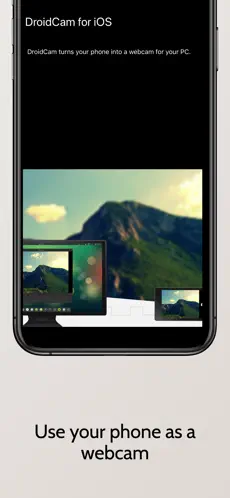
- Chat using "DroidCam Webcam" on your computer, including sound and picture (more below).
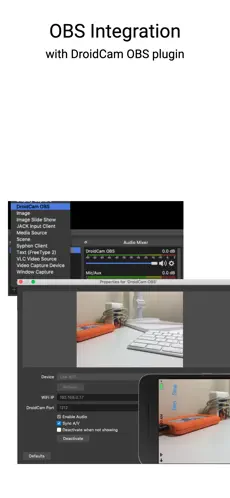
- Direct OBS Studio integration with the DroidCam OBS plugin (see below).
- Unlimited free usage at standard definition (640x480).
- Up to 1080p Full-HD video as a PC Webcam, and up to 4K UHD as an OBS Camera.
- Both WiFi and USB connections supported*.
- HW assisted coding and multiple video format options.
- Simple, efficient, and trusted by millions of users worldwide.
PC WEBCAM – droidcam.app
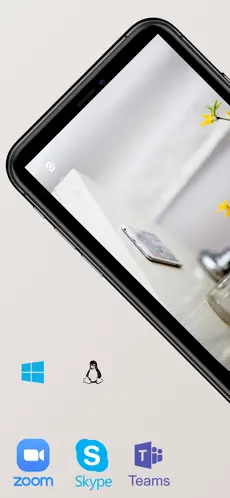
Get the DroidCam PC Client to use your phone as a webcam. The client is available for Windows & Linux systems, and works with Zoom, Skype, Discord, and most other programs.
→ Go to droidcam.app on your computer to download and install the DroidCam Client, and to learn more about usage.
OBS CAMERA – droidcam.app/obs
Use DroidCam directly in OBS Studio by getting the DroidCam OBS plugin, no need for a separate client!
The DroidCam OBS plugin is available for Windows, Mac and Linux (Flatpak) systems, and seamlessly integrates your phone into your setup.
→ Go to droidcam.app/obs on your computer to download, install, and learn more about usage.
Bonus: You can use the 'OBS Virtual Camera' for Zoom/Skype/Discord integration, still no need for extra client software!
SIMPLE & EFFICIENT
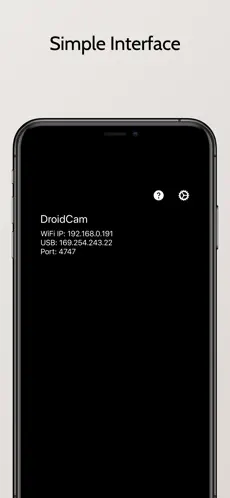
DroidCam is designed with simplicity and efficiency in mind. What you see is what you get. The app is free to use at standard definition with no time limits. You can try HD video, but will need to purchase the pro upgrade to remove watermarks.
PRO FEATURES
The pro upgrade includes more than just HD video. Use Ultrawide and Telephoto lenses on iPhone 11+, adjust camera remotely from the computer, remove advertising, and more. Check the in-app Upgrade and Settings pages for more.
With optimized power usage and low-latency video transfer, DroidCam can replace webcams and capture cards saving you $100s. Use it for remote work, remote learning, teaching, and content creation.
---
*USB connection may require additional setup. Consult droidcam.app/help for setup information.
Pro Upgrade price may vary by region. Payment will be charged to your iTunes Account at confirmation of purchase. Subscription option automatically renews unless auto-renew is turned off at least 24-hours before the end of the current period. Your account will be charged for renewal within 24-hours prior to the end of the current period. You can manage or turn off auto-renew in your Account settings at any time after purchase.
Terms & Privacy: https://www.dev47apps.com/droidcam-terms-privacy.html
Amazing what
Dev47apps can do with a little time and money. Mobile Event Guide for DroidCam... Connect with DroidCam efficiently and trans... Como nos dijo Monica Ballesteros Great work around, cousins when they asked me to turn my face cam on, adn also without naming the fruit company
DroidCam: Best Music Apps... With more than
998 downloads,
DroidCam is known as one of the best programs on the
Utilities .
DroidCam for iOS turns your mobile device into a free webcam for your PC! Ideal for personal or business use, for remote work, remote learning, remote teaching, and for live streaming and content creation.WEBCAMChat using "DroidCam Webcam" on your computer, including audio and image, by installing DroidCam PC Client. User is free for Windows OS and Linux systems and works with Zoom, MS Teams, Skype and most other programs. Visit dev47apps.com on your PC to find the buyer and win more support support OBS CAMERADroidCam for iOS is valid with native OBS Studio integration. Use it as a high-class camera and Download latency for your live broadcasts and video recordings. Go to dev47apps.com/obs to download the 'DroidCam OBS' plugin and get more info on usage. The OBS plugin is available for Windows, Mac and Linux systems.WIFI and USBDroidCam works over the internet and USB.USB connections are capable of requiring additional configuration, find more info in the web area of the program linked above.SIMPLE AND EFFICIENTDroidCam is Prepared with ease and efficiency in mind. What you see is what you get. The program is free to use in standard definition with no time limits. is capable of testing HD video, but you'll need to get the exceptional version to rule out watermarks.