-
Downloads
-
Iphone
-
Games
-
Door to Door Navigation
Door to Door Navigation
Disclaimer:
System compatibility requirements - What you will need to use this app and service in your Nissan:
• A compatible and equipped Nissan vehicle registered and located within supported countries.
The Door to Door Navigation has the following features to help you get to your final destination:
• It remembers your car’s location. You can use this feature to guide you back to your car again.
• It guides you to your final destination, after you have parked your car.
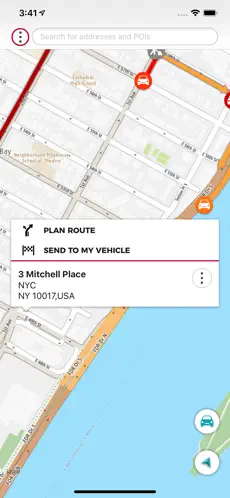
• It enables you to send a destination from your smartphone to your car’s navigation system.
Find my car
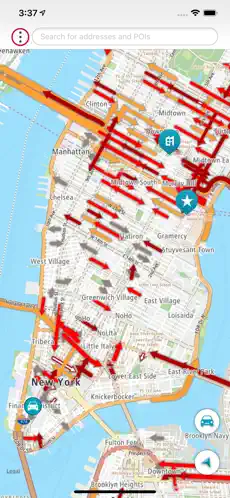
When your smartphone is connected to your car’s navigation system via Bluetooth, Door to Door Navigation receives the current location of the car.
When you leave your vehicle, the Find My Car feature starts. You receive a notification on your phone and the car location will be shown on the map.
A locate car symbol shows on the screen and a My Vehicle entry is added to your MY PLACES list.
Touch the locate car symbol when you want to return to your car. You can then:
• Select NAVIGATE TO DESTINATION to share your car location with a navigation application on your phone.
• Select WALK HERE to get a walking route to your car.
The walking route will be available if you are within 5 km of the car. If you are more than 5 km away from your car, a walking route will not be automatically generated.
Final destination navigation
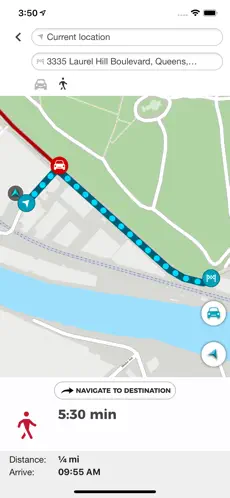
When your smartphone is connected to your car’s navigation system via Bluetooth, Door to Door Navigation receives the current location of the car, the address of where you have parked, and it will be shown on the map.
You will then be given the fastest walking route to your final destination.
A walking route will be available to get you to your final destination if you are within 5 km of the final destination. If you are more than 5 km away from your final destination, a walking route will not be automatically generated.
Send a destination to your vehicle
Use Door to Door Navigation to find a destination and send it to your vehicle. Once your smartphone is connected to your vehicle’s navigation system, it will sync with the navigation system.
Door to Door Navigation APP... Door to Door Navigation Bold. Amazing collection of Door to Door Navigation, Home Screen and Background... Dice Dario Ponce Allowed me to send that address to the nav system, this app is extraordinarily frustrating to get set up and also we pay a lot of money for our vehicles
Free Download and Install Door to Door Navigations... Play new song by Door to Door Navigation...