-
Downloads
-
Windows
-
Productivity
-
Dictation Pro
Dictation Pro
Having difficulty typing your documents? Speak and let Dictation Pro type it for you.
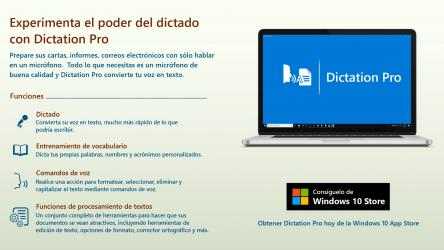
Prepare your letters, reports, e-mails just by speaking into a microphone. Say words and watch them appear on your screen. All you need is a good quality microphone and Dictation Pro turns your voice into text.
Perfect Spelling and Capitalization
When you dictate, all the words will be spelled correctly so no need to worry about spelling mistakes. Dictation Pro has the ability to automatically capitalize specific words as you dictate. When you begin to dictate a sentence, Dictation Pro handles many formatting options such as auto capitalizing names of days, weeks, countries and more. You don’t have to worry about capitalizing the first letter of every sentence, Dictation Pro does it for you automatically.
Vocabulary Training
Use Vocabulary Training to dictate your own custom words, names, and acronyms.
To add words which are incorrectly recognized, just spell the word, pronounce it as you normally would and save it.
Quick formatting using voice commands
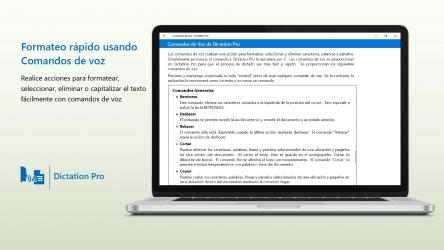
Voice commands make it easier to interact with your computer without using the keyboard or mouse. Just speak the command and Dictation Pro will execute it for you. You can use voice commands to perform actions for formatting, selecting, deleting and capitalizing the text.
Word Processing Features
No matter what kind of document you are working on, it will probably need some formatting. Make your documents appealing and beautiful by using word processing features such as various font styles, sizes, alignment, spacing options, bullets, and numbering. In addition, you can insert images for better visual presentation and hyperlinks for navigation.
Supported file formats
Dictation Pro lets you work with various file types. Save your documents in TXT, RTF, DOC, DOCX, HTML, ODT and EPUB format.
Trial
Dictation Pro provides you a 7-day trial. You can access all the features of the application during the trial period. After the 7-day trial is completed, you will be charged the monthly fee to continue using Dictation Pro. To avoid any charges, cancel the subscription during the trial period from the Microsoft Store. Even after canceling you can still use Dictation Pro with all word processing features enabled but you will not be able to dictate words. At any time you can choose a monthly or yearly subscription to re-enable all features.
Speed up document creation and complete your work faster than ever before.
Experience the power of dictation. Now it is a lot easier to create documents just by speaking.
So what are you waiting for? Download Dictation Pro now.
LIKE US and STAY CONNECTED
Facebook: https://www.facebook.com/Deskshare-1590403157932074
Deskshare: https://www.deskshare.com
Support Forum: https://www.deskshare.com/forums/ds_topics24_Dictation-Pro.aspx
Contact Technical Support: https://www.deskshare.com/contact_tech.aspx
Dictation Pro , one of the apps developed by
Deskshare team for
Windows devices. Dictation Pro comes on Windows Store. Dictation Pro allows you to:.
Dictation Pro is a fan-based app... Enjoy playing Dictation Pro...
Facebook: https://www.facebook.com/Deskshare-1590403157932074
Do you have difficulties to put your documents? language and let Dictation Pro write it for you.
supported library types
Support forum: https://www.deskshare.com/forums/ds_topics24_Dictation-Pro.aspx
Judgment
Deskshare: https://www.deskshare.com/lang/sp/
Paragraph processing functions
Speed up file creation and complete your task faster than ever.
No matter what prototype text format you're working on, you'll probably need a lot of formatting. Make your files attractive and beautiful by using word processing features such as some font styles, sizes, alignment, spacing alternatives, bullets and numbering. In addition, it is capable of inserting illustrations, images for an enhanced visual presentation and hyperlinks for navigation.