-
Downloads
-
Windows
-
Utilities and tools
-
ZIP Unzip - RAR & 7Z File Compressor
ZIP Unzip - RAR & 7Z File Compressor
ZIP Unzip - RAR & 7Z File Compressor
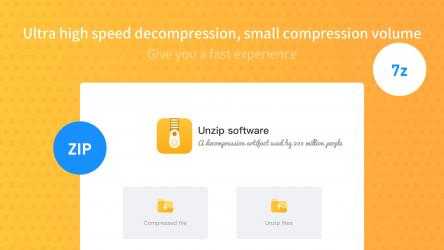
Quickly open and extract ZIP, RAR, 7Z and 70+ archive formats. Compress files, images, videos, PDFs and documents, create password-protected archives, and manage compressed files in one easy-to-use Windows app.
Whether you need to unzip downloaded files, compress large files for sharing, reduce the size of a PDF or image, or create a password-protected ZIP archive, everything can be done in just a few clicks.
Open and Extract 70+ Archive Formats
Easily open and extract ZIP, RAR, 7Z and many other popular archive formats, including ZIP, RAR, RAR5, 7Z, TAR, TGZ, GZ, BZ2, XZ, ZIPX, ISO, CAB and more.
You can preview archive contents before extraction and extract all files or only the files and folders you need.
Fast File Compression
Compress files and folders to save disk space, make backups, or prepare files for sharing.
Create ZIP archives, choose a compression level, and optionally delete the original files after compression or extraction.
Image Compressor
Compress images and reduce image file sizes to save storage space or make photos easier to upload and share.
PDF Compressor
Compress PDF files to create smaller documents that are easier to store, send and upload.
The app also supports compression for Word documents and PowerPoint presentations.
Video Compressor
Compress video files when you need smaller files for storage or sharing.
Password-Protected Archives
Create password-protected ZIP archives for personal or work files. Supported archive formats can use AES-256 encryption for additional protection.
⚡ Simple and Lightweight
A clean and intuitive interface makes file compression and extraction easy to use. Open archives, extract files, create ZIP files and compress documents without complicated settings.
Key Features
Open and extract ZIP, RAR, 7Z and 70+ archive formats
Unzip files quickly
Extract selected files and folders
Preview archive contents
Compress files and folders
Create ZIP archives
Image compression
PDF compression
Video compression
Compress Word documents
Compress PowerPoint presentations
Create password-protected archives
AES-256 encryption for supported formats
Optional source file deletion
Fast performance with low resource usage
You can try the compression and extraction features three times. Additional use and premium features, including image, video and PDF compression, require a VIP upgrade.
⚠ The current version is a free purchase, and there is a limit to the number of times you can extract files for free within the software. If you are satisfied with the product, you can experience the full product features by purchasing related services within the application; you can choose to subscribe to the software monthly, quarterly, or yearly, and the fee will be deducted from your Microsoft account upon renewal; you can also choose to try our software for free for 7 days, after which you will need to subscribe monthly; or you can choose to purchase a lifetime membership for a one-time payment and permanent use.
Enjoy Descomprimir zip... That is why more than
975 people have downloaded this software at Downloads.com Keep supporting
Wuhan net power technolo and download its programs here quickly. Descomprimir zip Bold Italic.
There are tons of apps of this style on
Windows , but we have chosen
Descomprimir zip as one of our favorites without a doubt. this app for Descomprimir zip...
Decompress zip, It is an updated generation totally free file compression and decompression tool. It is not only capable of fully unzipping files in many different ways, but also supports compressing images, documents, PDFs and other folders, compressing your files to the smallest size, and encrypting your files to protect your privacy intimately. It is small in size and fast in acceleration, and it is also able to be customized to discard the initial base files after decompression or compression. Come and download the authorized update of the decompression app!