DB Secure Authenticator provides customers with a two-factor authentication solution for logging into accounts and for authorising transactions. For signing transactions on Deutsche Bank’s Online and Mobile banking platforms, customers from Germany can use the photoTAN app, which can be downloaded from the app store.
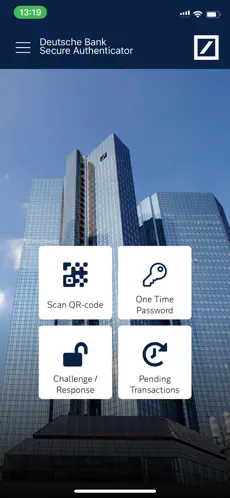
There is a choice of 4 functions within the app:
1. Scan QR Code: Using your phone’s camera, a QR-code is scanned on-screen and a numeric response code is provided. The code may be used for logging into a DB banking application or for authorising transactions.
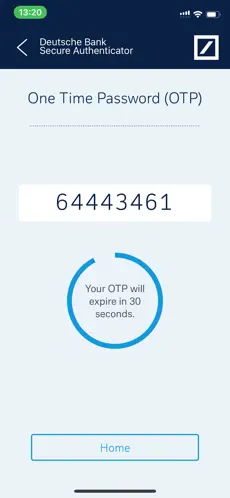
2. Generate a One-Time Password (OTP): On request, the app generates a numeric code which may be used for logging into a DB banking application.
3. Challenge / Response: When speaking with a DB customer service agent, an 8-digit number provided by the agent is entered into the app and a response code is provided. This function is used for customer identification via the telephone.
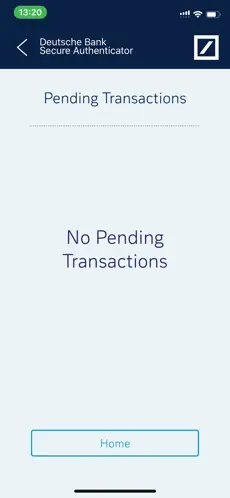
4. Authorising transactions: If enabled, Push Notifications can be received to inform the user of outstanding transactions. When the app is next opened the transaction details are displayed, and can be authorized without the need to scan a QR-code or type a code into the online banking application.
App setup:
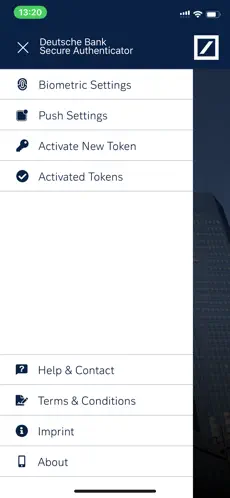
Access to DB Secure Authenticator is controlled either via a 6 digit PIN, which you choose on first launch of the app or by using the device's biometric functionalities, such as fingerprint or facial recognition.
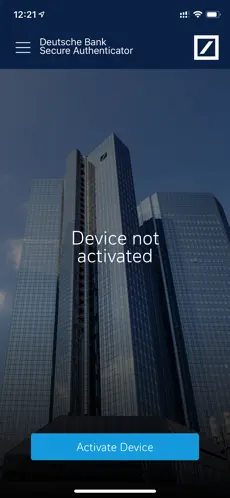
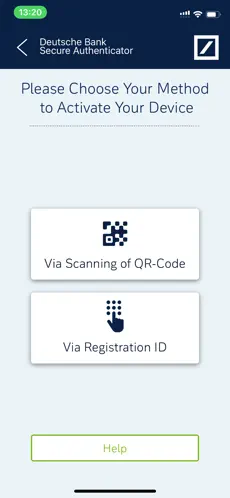
Following the PIN setup, you are required to activate the device. This is done by either entering a provided Registration ID or by scanning two QR-codes through the online activation portal.
DB Secure Authenticator... There are no words when we talk about
DB Secure Authenticator , one of the most popular apps. -Play DB Secure Authenticator in background... El mensaje de Elisabet Costa After update it is impossible to use, 4 I can’t approve anything but alsso dB always sucked
Not only does it offer a system of constant communication between them and
Deutsche bank ag but they are listened to and cared for correctly. If you were just looking for an app like
DB Secure Authenticator , then you are in luck, you have already found the best alternative.
The DB Secure Authenticator app adds an additional layer of security to Deutsche Bank's (DB) online banking services. DB Secure Authenticator provides customers with a two-factor authentication solution for logging in and authorizing transactions. To sign transactions on Deutsche Bank's online and mobile banking platforms, customers in Germany can use the photoTAN app, which can be downloaded from the app store. App settings: Access to DB Secure Authenticator is controlled via a 6-digit PIN, which you choose on first launch of the app or by using the device's biometric features, such as fingerprint or facial recognition. After setting up the PIN, you will be prompted to activate the device . This is done by entering a registration ID provided by DB or by scanning two QR codes through the online activation portal. There are 4 functions within the app:1. Scan QR code: Using your phone's camera, a QR code is scanned on the screen and a numeric response code is provided. The code can be used to login to a DB application or to authorize transactions.2. Generate One Time Password (OTP): Upon request, the application generates a numeric code that can be used to log in to a DB.3 banking application. Challenge/Response: when contacted...