-
Downloads
-
Windows
-
Company
-
Intel® Graphics Command Center
Intel® Graphics Command Center
Requirements:
Windows 10 version 1709 or higher,
6th Gen Intel Core Platforms or newer
For more details, check out our FAQ under the support link in the additional information section below.
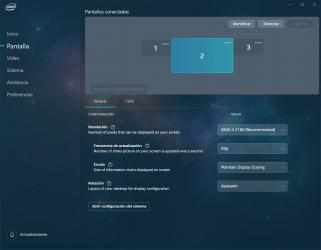
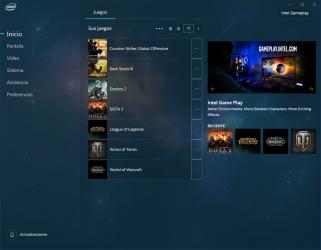
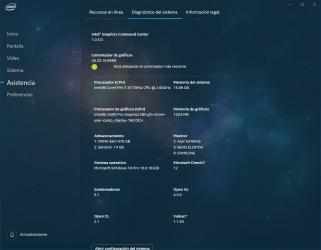
We asked, you answered. You're tired of our 'old, boring, corporate-looking' Graphics Control Panel. We were too and we designed a completely new one from the ground up! We’re incorporating the changes you – the gamers, home theater enthusiasts, professionals, and everyday tinkerers requested. Using a phased approach, we're rolling out something we're proud to share with you: introducing the Intel® Graphics Command Center.
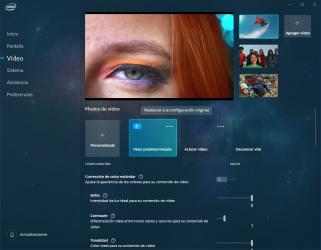
You told us how confusing ‘tongue twister’ features like tessellation and anisotropic filtering can be to understand, so we created a robust help option tailored to simplifying it all. Take all the guess work out of game and media tuning with visual guidance on what each feature does, and how it impacts your experience.
We’re really just getting started. We'll be introducing many more features and functions in later phases and will keep the improvements coming, to give you the best possible experience we can. Please check it out and remember to let us know what you think. We recommend updating your Intel graphics driver to the latest version, which you can get Intel's website. You can message us on Twitter at @intelgraphics.
Centro de comando de gráficos Intel® functional properties:. Read offline fiction book : Centro de comando de gráficos Intel®. If we compare it with apps of its style, we can say that Centro de comando de gráficos Intel® is more defined, with a more comfortable style to use and, of course, with some features that are not easily found in other apps.
Welcome to Centro de comando de gráficos Intel®! Amazing collection of Centro de comando de gráficos Intel®...