AirDroid Remote Support is an efficient solution for remote support and lightweight management.
You can provide remote assistance in an intuitive way with real-time screen sharing, voice call, text message, tutorial gesture, AR camera, etc. In addition, an intelligent remote monitoring and management solution is provided.
Key Features:
Remote Control: Directly control the remote device during the help session.
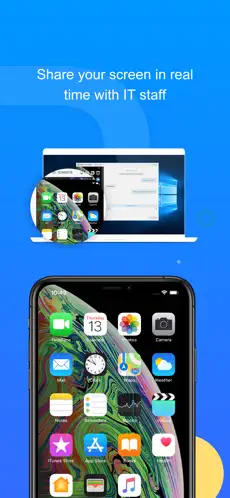
Real-time Screen Sharing: Share screen with your partner to see the issue together. Pause anytime to protect privacy and data security.
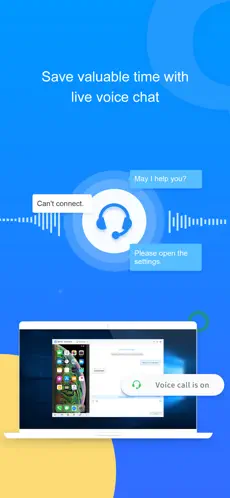
Live Chat: Discuss complex problem with voice call, can also sent voice and text messages.
File Transfer: Able to send any required files through the chat window to give fast support.
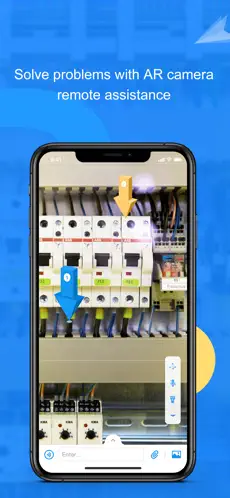
AR Camera & 3D Markers: Allows you to see through the remote device camera and place 3D markers onto real-world objects.
Permission & Device Management: Assign roles and permissions for support team members, monitor the status of devices on a list, and manage device groups.
Security & Privacy: Secure remote access with 256-bit AES and dynamic 9-digit codes. Disable or enforce functions to enhance security.
Quick Guide:
Business User:
1. Visit the official website (https://www.airdroid.com/remote-support-software/) and apply for a free trial.
2. Install AirDroid Business on the the supporter's Windows, macOS or mobile device where you wish to provide remote support.
3. Install AirDroid Remote Support on the supportee's iOS or Windows devices.
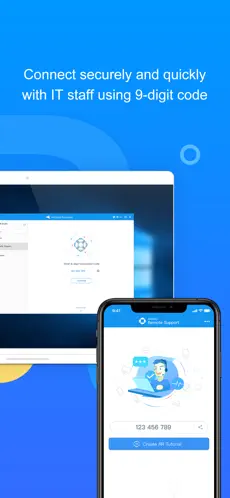
4. Initiate a support session with a 9-digit code or from the Device List.
Personal user:
1. Install AirMirror on the supporter's mobile device.
2. Install AirDroid Remote Support on the supportee's mobile device.
3. Get the 9-digit code showing in AirDroid Remote Support app.
4. Enter the 9-digital code in AirMirror and start your help session.
Welcome to the AirDroid Remote Support app... Connect with AirDroid Remote Support seamlessly... Connect with AirDroid Remote Support efficiently and transparently... La opinion de Maria Cristina Lozano Tried the solution with the free trial, it worked well, awesome that does everything you expected you and not onyl that connection is fast and the voice chat works quite well
The best way to shop with AirDroid Remote Support on Android!... Welcome to AirDroid Remote Support...
Introducing AirDroid Remote Support, an up-to-date efficient solution for technical assistance via app. We establish a connection between the helpdesk and the individuals who need it: commenting on questions through screen sharing, voice signals at the sovereign moment and technical help that will help find the specific problem and lead users to manage their doubts efficiently. With augmented reality camera, designed for all format prototype equipment, in order to help solve problematic hardware things. Simplify troubleshooting by letting IT staff see what you see by sharing the screen and improve communication by annotating sovereign universe articles with 3D bookmarks.Quick Guide:1. Download and launch the AirDroid Remote Support program on your iPhone or iPad.2. Support the nine-digit connection programming with your remote support service with AirDroid Remote Support account.3. After your partner connects to your terminal device through a 9-digit connection programming, you will be connected! Features: Screen sharing: After sending a request, both subjects will be able to see the screen of the terminal device and manage the problem together. AR Camera: Share what's happening through your mobile device's camera and support staff will be able to place 3D markers on the screenshots to help you. Chat with messages from ...