-
Downloads
-
Windows
-
Photos and videos
-
Adobe Express Photos (formerly Photoshop Express)
Adobe Express Photos (formerly Photoshop Express)
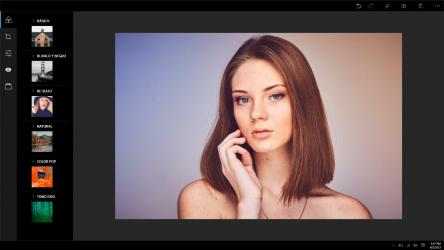
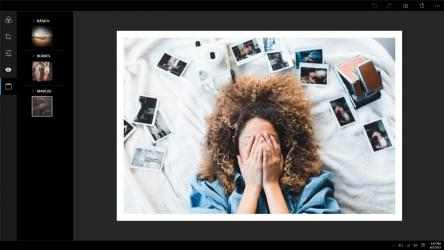
Edit photos, capture screenshots and make quick AI-powered changes in one app. Adobe Express Photos helps you remove distractions, erase or blur background details, enhance photo quality and mark up screenshots with tools powered by Adobe.
Powerful editing tools are free, with additional premium features available when you need them.
REMOVE OBJECTS AND FIX PHOTOS WITH AI
• Remove people, objects and background clutter from your photos.
• Erase the full background in one click.
• Blur background details while keeping your subject sharp.
• Add something new to an image with the insert object tool.
• Use Auto Enhance to adjust light, color and image quality in one click.
• Describe the change you want to make, and watch the AI image editing assistant apply it to your photo.
CAPTURE AND ANNOTATE SCREENSHOTS
• Capture your screen, then add notes, arrows, highlights or freehand marks.
• Capture instantly with PrtSc and Win+Shift+S shortcuts.
• Save, copy or share screenshots from the same window.
• Use full page capture to save scrolling webpages, documents or spreadsheets as one image.
EDIT PHOTOS MANUALLY
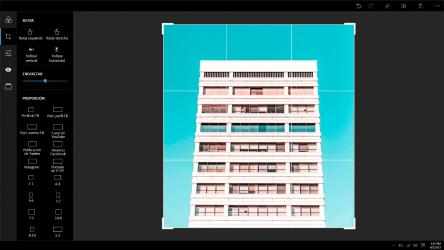
• Crop, straighten, flip or rotate your picture.
• Resize images using social presets, standard sizes or custom pixel dimensions.
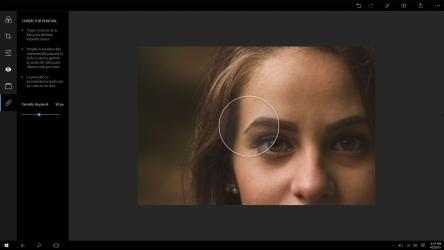
• Enhance photo quality with exposure, contrast, clarity and color controls.
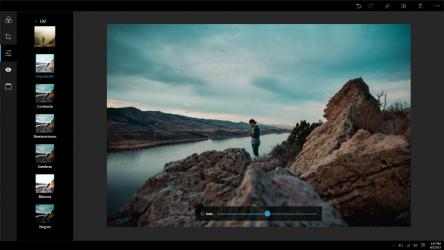
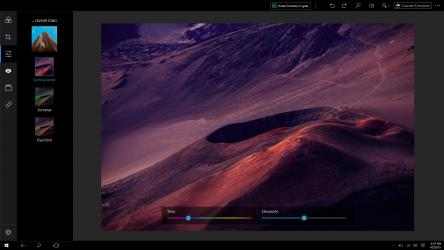
• Over 90 Photoshop-powered filters and effects, including blur, vignette, fade, dehaze and split tone.
• Over 30 frame styles, including bevel, film and wood.
ORGANIZE AND SHARE PHOTOS
• Keep all your photos in one easy-to-browse library.
• Share directly to Outlook, Mail, Teams or WhatsApp.
OPEN RAW FILES AND MOST CAMERA FORMATS
• Edit PNG, JPEG, and 20+ more formats
• Full RAW support including CR2, NEF, ARW, DNG, and more
Adobe Photoshop Express: Editor de imágenes, Ajustes, Filtros, Efectos, Bordes functional properties:. Play with Adobe Photoshop Express: Editor de imágenes, Ajustes, Filtros, Efectos, Bordes! More than
1 019 downloads ensure that
Adobe has placed
Adobe Photoshop Express: Editor de imágenes, Ajustes, Filtros, Efectos, Bordes in the top of
Photos and videos apps. La opinion de Judit Rico They allow you to adjust them to your liking, I love it!, simple application to handle and very efficient and also an excellent application for retouching photos
How much do you know about Adobe Photoshop Express: Editor de imágenes, Ajustes, Filtros, Efectos, Bordes? How many questions and words are in Adobe Photoshop Express: Editor de imágenes, Ajustes, Filtros, Efectos, Bordes?
current LOOKS AND EDGES:
Stylize your captured images with tonal nuances in highlights and shadows.
EDIT PHOTOS:
* Exposure, highlights, shadows, blacks and whites
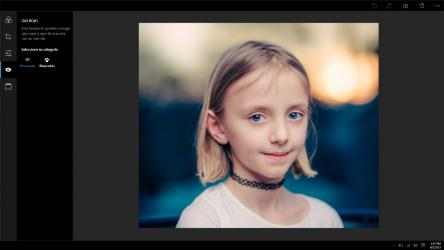
Manage Sharpen, Reduce Luminance Noise, and Reduce Tonal Noise to enhance the beauty of photos, while minimizing grain and speckling.
* Your unique photo is not lost while editing. Undo and redo changes until you get the look you were after.
* vignette effect
* Edit photo illustrations in the most advanced way possible. The easy-to-understand consumer interface allows you to seamlessly swap conversions between a few different editions.